System Overview

FS500 Aircraft

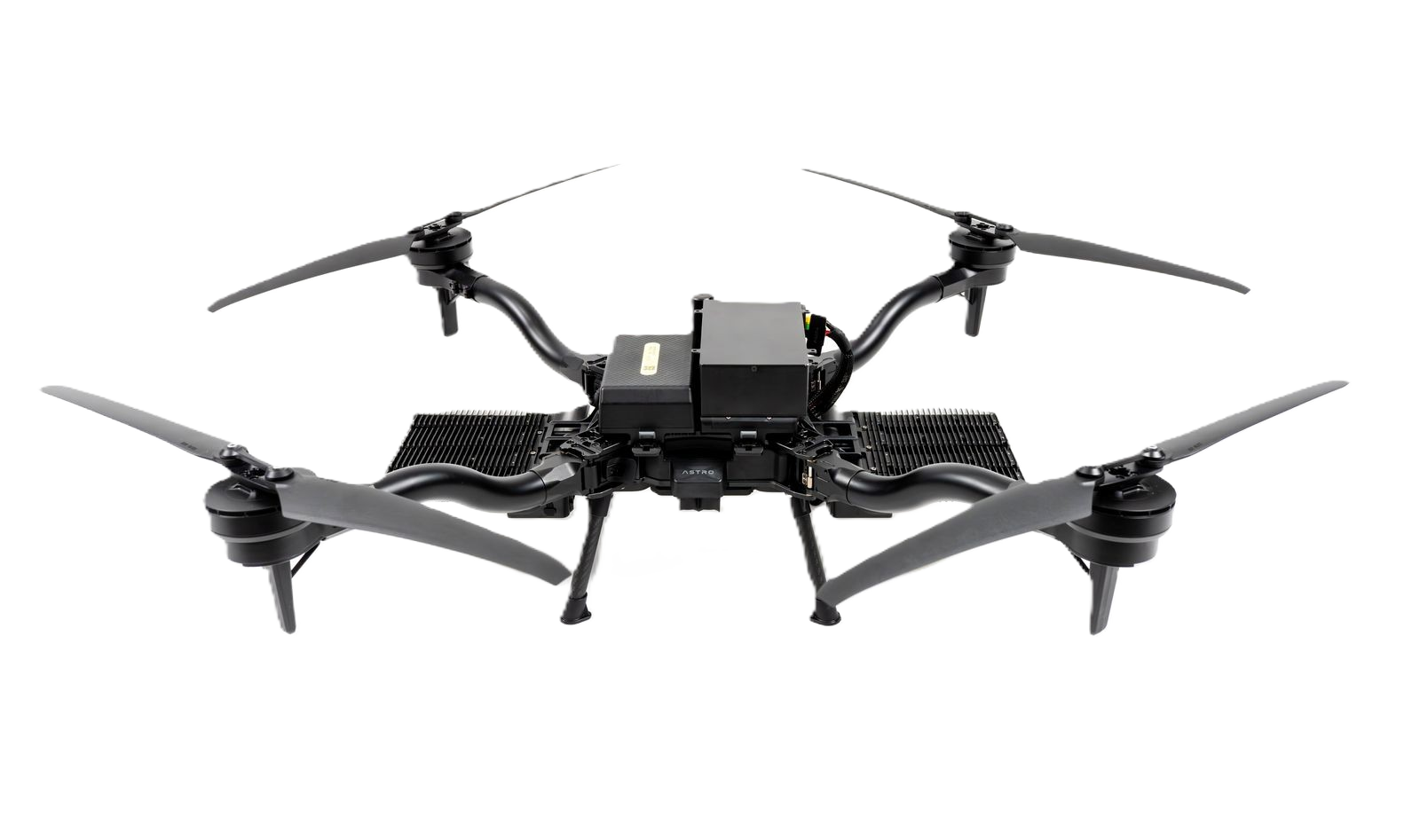
The FS500 utilizes the capable Astro platform as the base for the platform

circle-exclamation
Astro with FS500

Light Panel Assembly

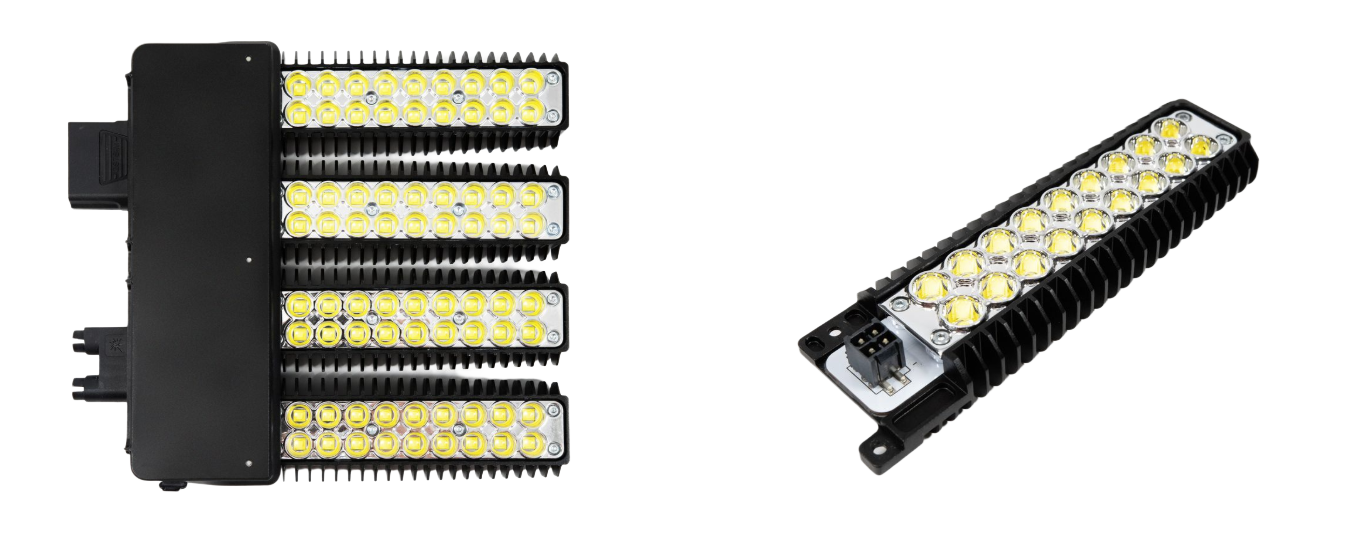
The FS500 illumination system includes two light panel assemblies mounted on either side of the aircraft.

  • Assembly Components: Each light panel assembly contains:

    • 1x LED Driver

    • 4x Light Leaves

  • Maintenance: The light leaves are field-replaceable. See the Maintenance section for replacement instructions.

FS500 Lighting assembly and a single leaf
Strain Relief Mounting Point

The tether cable clips into the strain relief mounting point located on the bottom of the aircraft. This is a critical component that absorbs pulling and twisting forces from the tether, preventing tension from damaging the high-voltage connector and ensuring a secure, safe connection during flight

Location of the Strain Relief Mounting Point
triangle-exclamation

Pilot Pro

While Pilot Pro functionality is similar to standard Astro operation, key changes have been implemented to optimize FS500 performance:

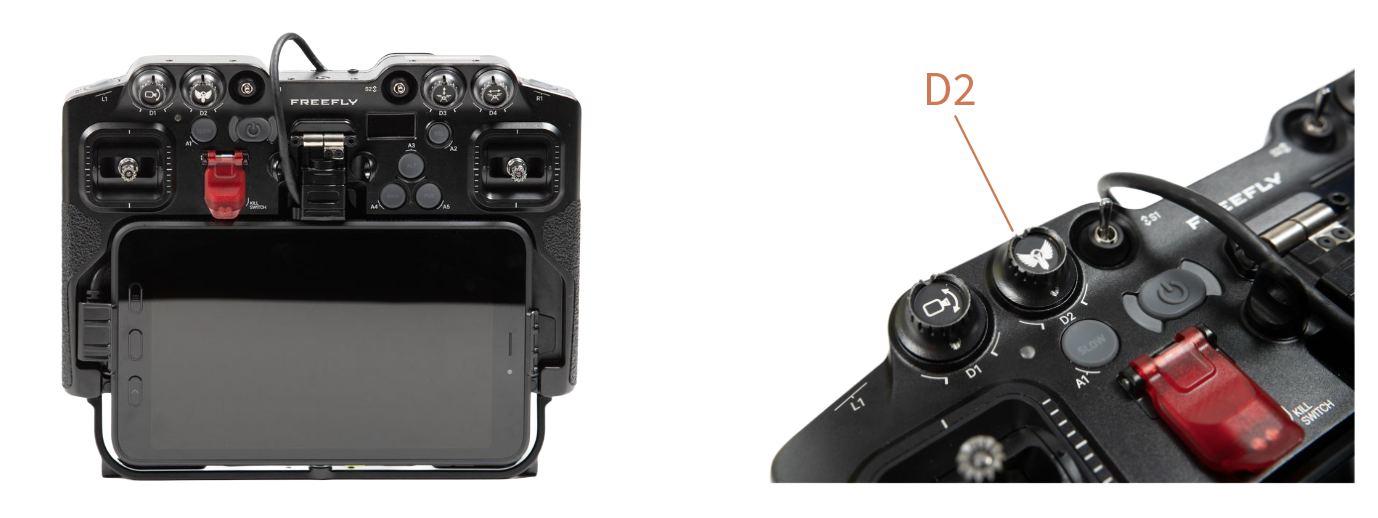
  1. Updated D2 knob for light control.

  2. S2 switch in down position toggles light's thermal protection on.

  3. Flying Sun's included Pilot Pro is pre-installed with Flying Sun apparrow-up-right.

circle-info

This section assumes familiarity with the Pilot Pro controller. For a complete guide on its operation, click here

Location of D2 dial, which controls lighting with FS500

3kW Tether System

The FS500 utilizes a 3kW Tether System, which is engineered to deliver a continuous power supply to the aircraft for extended, uninterrupted flight.

Ground Unit

  1. Main power breaker switch.

    1. Turn the Ground Unit on/off

  2. Backup power charging port.

    1. Ensure backup battery is charged

    2. AC-DC charger included in the case

  3. Backup power switch.

    1. Maintains tether tension during power loss

    2. Used for recalling the cable after FS500 use

  4. Main input power cable port.

    1. NEMA L14-30P connector installed

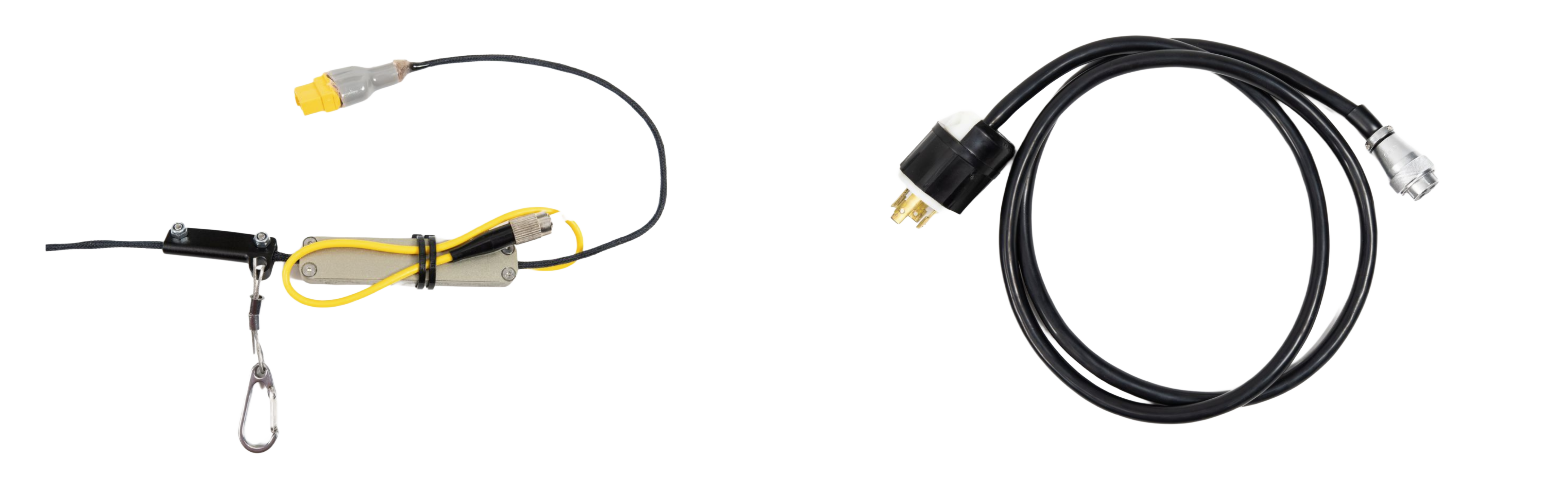
3kW Tether
[Left] Tether wire between Tether and Astro [Right] Power for Tether system
Air Unit

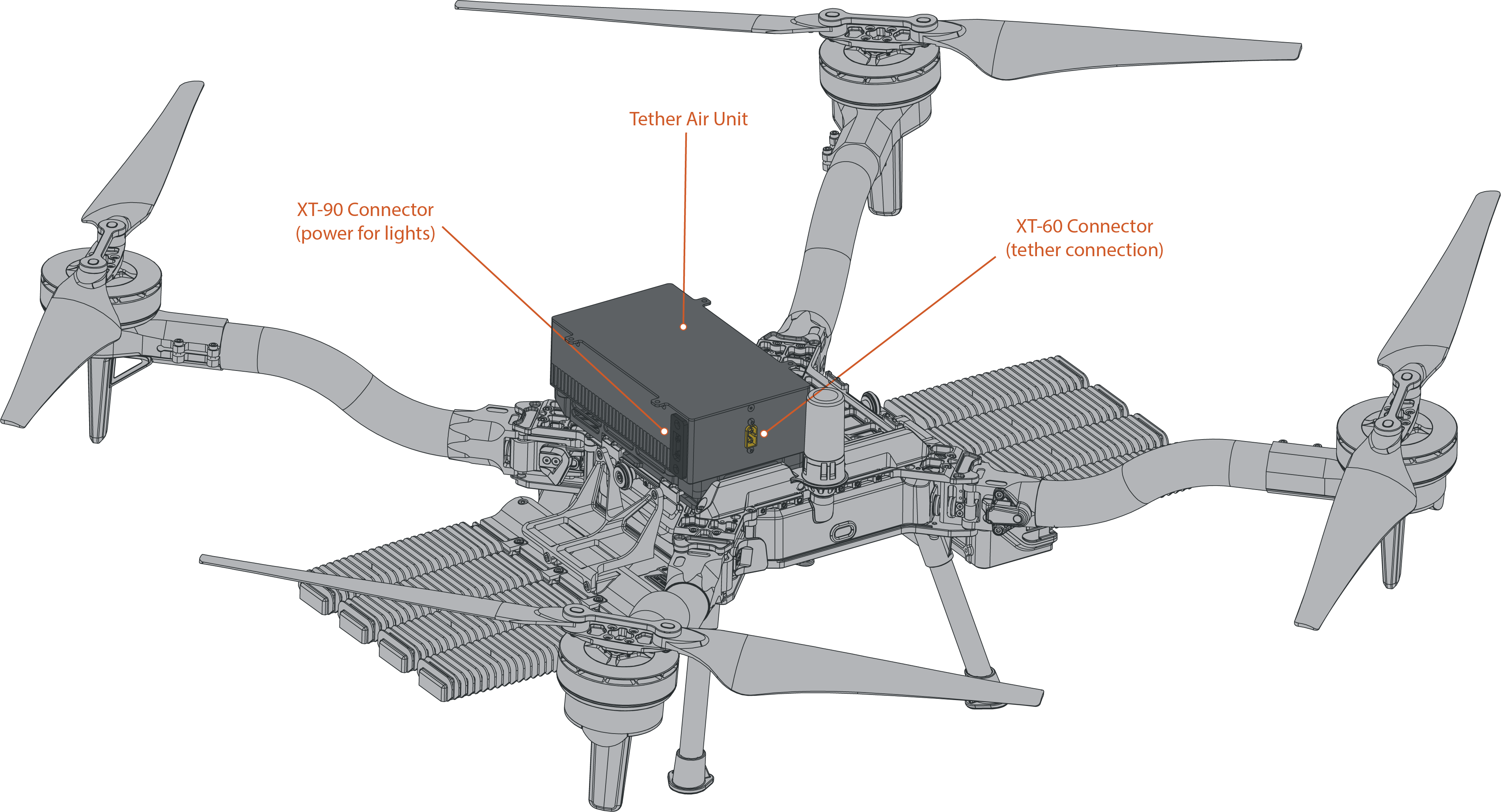
The Air Unit connects to Astro via the top chassis interface. In addition, it includes two dedicated connections to interface with the tether and lights:

  1. The XT-60 located at the end of the tether cable will be plugged into the XT-60 on the air unit.

  2. The XT-90 on the light panel cable plugs into the XT-90 on the side of the air unit.

FS500 Air Unit

Last updated