> For the complete documentation index, see [llms.txt](https://docs.freeflysystems.com/llms.txt). Markdown versions of documentation pages are available by appending `.md` to page URLs; this page is available as [Markdown](https://docs.freeflysystems.com/ecosystem/payloads/flux-lidar/payload-overview.md).

# Payload Overview

## Main Features

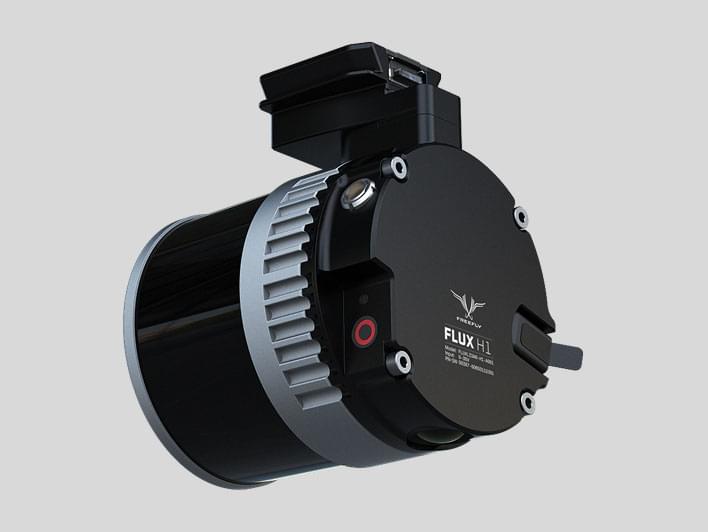
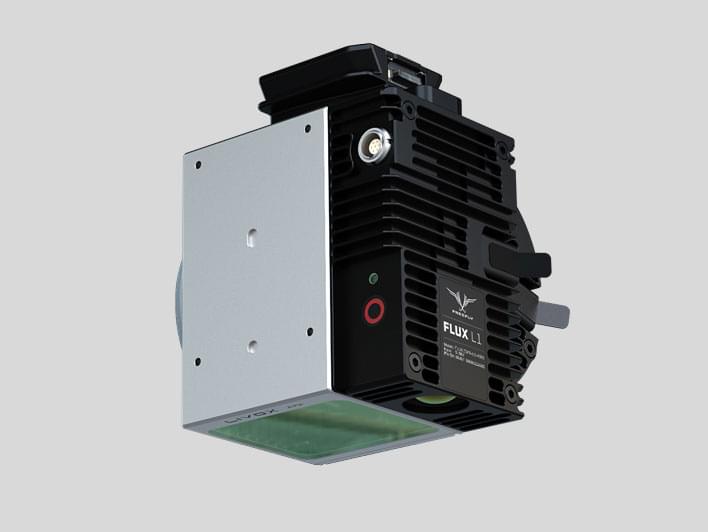
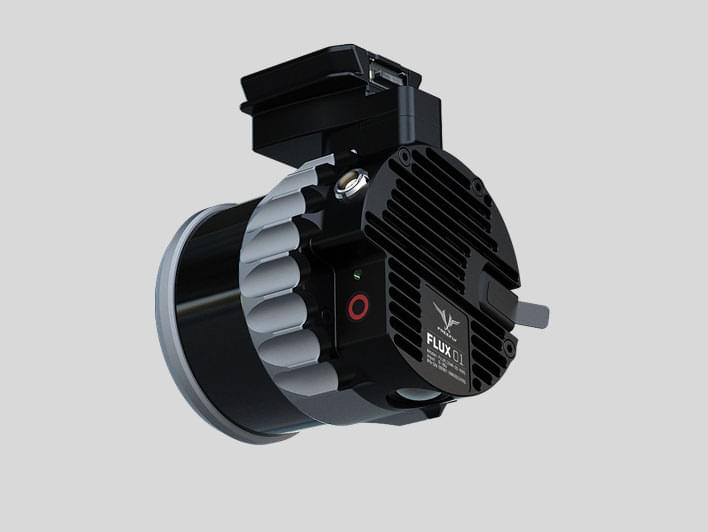
<table data-view="cards"><thead><tr><th></th><th></th><th></th><th></th><th></th><th></th><th></th><th></th><th data-hidden data-card-cover data-type="image">Cover image</th></tr></thead><tbody><tr><td><strong>Flux H1</strong></td><td>±3 cm / 1.2 in Accuracy</td><td>0.5 cm / 0.2 in Precision</td><td>300 m Range</td><td>Triple Return</td><td>Dual Full-band Receivers L1/L2/L5/L6</td><td>360° x 40° FOV</td><td>690 grams</td><td><a href="/files/H4v4YkZXu56Tqe8pTPF8">/files/H4v4YkZXu56Tqe8pTPF8</a></td></tr><tr><td><strong>Flux L1</strong></td><td>±5 cm / 2 in Accuracy</td><td>2 cm / 0.8 in Precision</td><td>450 m Range</td><td>Triple Return</td><td>Dual Full-band Receivers L1/L2/L5/L6</td><td>70° x 77° FOV</td><td>720 grams</td><td><a href="/files/DE36Evxn7nCmy3OAIlNO">/files/DE36Evxn7nCmy3OAIlNO</a></td></tr><tr><td><strong>Flux O1</strong></td><td>±3 cm / 1.2 in Accuracy</td><td>0.5 cm / 0.2 in Precision</td><td>200 m Range</td><td>Dual Return</td><td>Dual Full-band Receivers L1/L2/L5/L6</td><td>360° x 42.4° FOV</td><td>690 grams</td><td><a href="/files/PbKvzZ2HtAu7yEtIKGPh">/files/PbKvzZ2HtAu7yEtIKGPh</a></td></tr></tbody></table>

## Interfaces and Connectors

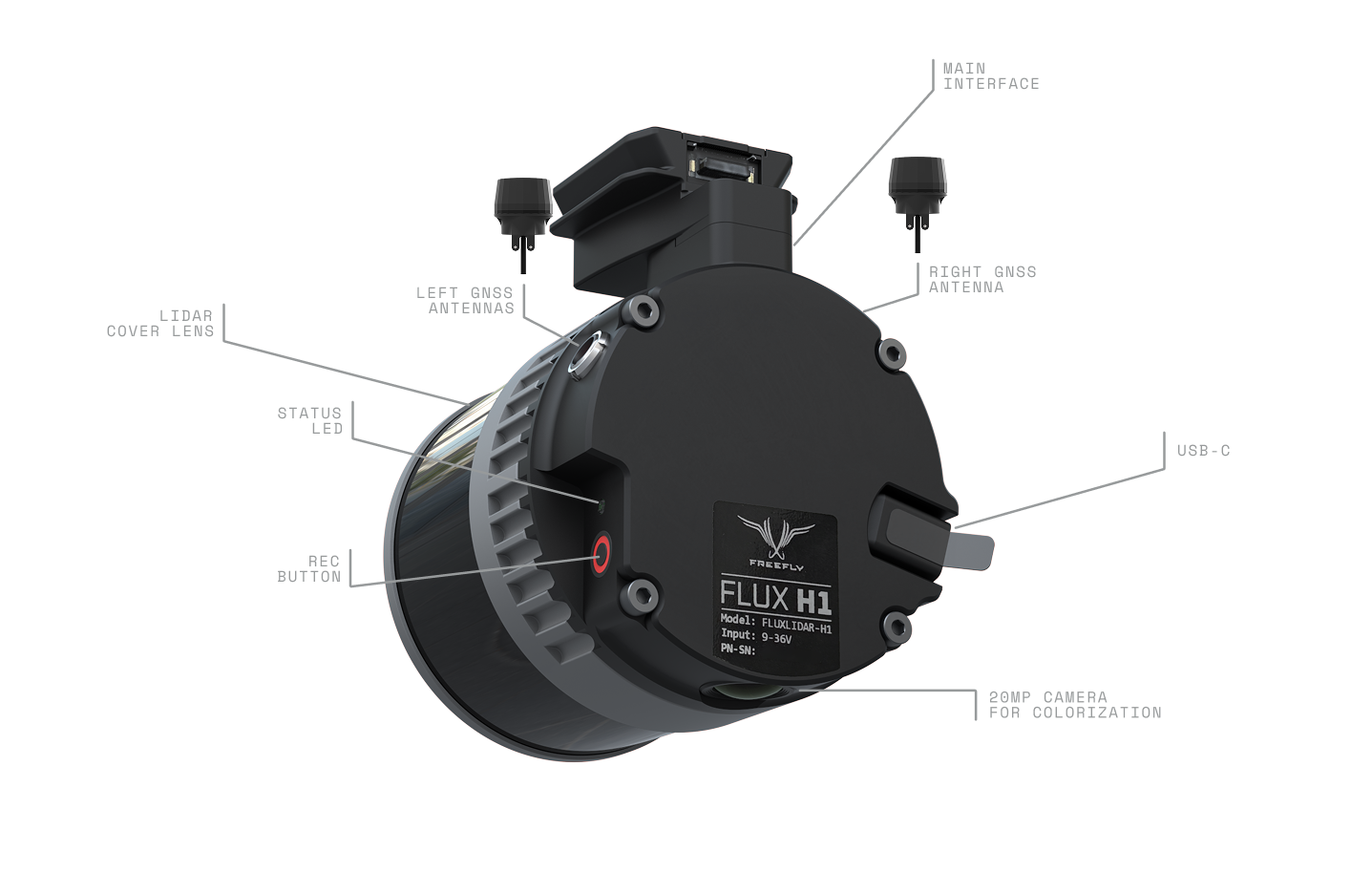
<figure><img src="/files/scIq68APzA4wdA6PEf0I" alt=""><figcaption><p>Flux interfaces and connectors</p></figcaption></figure>

**Main Interface**

This is the main connector of the LiDAR sensor that uses our Smart Dovetail connector. It is a high density industrial connector that provides power and communication to the sensor. It connects to one of our mounts or interface cables. See the Accessories sections for more information.

**GNSS Modules**

Flux requires two external Dual Full-band GNSS receivers (L1/L2/L5/L6) with active antennas to operate and achieve optimal results. These GNSS modules and cables are included with the sensor and connect to 7 pin Lemo connectors on the side of Flux.

**USB-C**

Flux captures its data as a .fluxScan file that gets stored on an external USB-C Flash Drive. The sensor comes with a 256 GB USB-C Flash Drive that allows for more than 1 hour of scanned data.

{% hint style="info" %}
Any USB-C flash drive can be used as long as it's rated for U1 speed or faster and fits into the slot on the Flux. Drives will need to be formatted as exfat
{% endhint %}

**Status LED**

The color code of this LED indicates the operational state of the LiDAR sensor and has the following meanings:

<table data-header-hidden><thead><tr><th align="right"></th><th width="249"></th><th></th></tr></thead><tbody><tr><td align="right"><img src="https://files.gitbook.com/v0/b/gitbook-x-prod.appspot.com/o/spaces%2FdCjObRNycudiUoGxd8H4%2Fuploads%2FOtUUeXkhfx66sXm6bn28%2Fblue.png?alt=media&#x26;token=999289e1-3d69-4d89-b7d4-b2620c4b54f1" alt="" data-size="line"></td><td>Blinking Blue</td><td>Sensor loading</td></tr><tr><td align="right"><img src="https://files.gitbook.com/v0/b/gitbook-x-prod.appspot.com/o/spaces%2FdCjObRNycudiUoGxd8H4%2Fuploads%2Fq66HlJfrtQVvIaJfDoqy%2Fyellow.png?alt=media&#x26;token=cb38ed89-fb0d-4fcb-acd3-d38a621c9383" alt="" data-size="line"></td><td>Blinking Yellow</td><td>GNSS starting and acquiring satellites</td></tr><tr><td align="right"><img src="https://files.gitbook.com/v0/b/gitbook-x-prod.appspot.com/o/spaces%2FdCjObRNycudiUoGxd8H4%2Fuploads%2FkN4Z038eVTNDY5xbumMj%2Fmagenta.png?alt=media&#x26;token=6cd3b3a6-f573-4a10-83f9-544bdcb8b1ee" alt="" data-size="line"></td><td>Blinking Magenta</td><td>Flash drive missing, not ExFAT formatted, or busy offloading data</td></tr><tr><td align="right"><img src="https://files.gitbook.com/v0/b/gitbook-x-prod.appspot.com/o/spaces%2FdCjObRNycudiUoGxd8H4%2Fuploads%2FULg4zqxa6aVKIiCAjtPx%2Fgreen.png?alt=media&#x26;token=b6d1b197-612b-477e-8123-106e092976f3" alt="" data-size="line"></td><td>Solid Green</td><td>Sensor ready to start LiDAR capture</td></tr><tr><td align="right"><img src="https://files.gitbook.com/v0/b/gitbook-x-prod.appspot.com/o/spaces%2FdCjObRNycudiUoGxd8H4%2Fuploads%2F0wgDLOiN8jKDdMWw2Btv%2Fred.png?alt=media&#x26;token=7b84228b-12b1-4a61-96b6-c4376d3d93f9" alt="" data-size="line"></td><td>Solid Red</td><td>Sensor recording</td></tr></tbody></table>

{% hint style="success" %}
Detailed status information can be shown on the Flow app on a connected iPad
{% endhint %}

**REC Button**

The REC Button start/stops the capture of the LiDAR data. When the Status LED is green, push to start recording. When the Status LED is red, push to stop recording.

{% hint style="success" %}
Recording start/stop can also be triggered from the Flow app on a connected iPad. The Flow app can only communicate with the payload on compatible systems. If using the Flux on a DJI platform, you will need to use the button on the Lidar
{% endhint %}

**Camera**

{% hint style="warning" %}
Colorization or photogrammetry is not available on Flux yet. We hope to enable this in a future software update
{% endhint %}

<br>


---

# Agent Instructions
This documentation is published with GitBook. GitBook is the documentation platform designed so that both humans and AI agents can read, navigate, and reason over technical content effectively. Learn more at gitbook.com.

## Querying This Documentation
If you need additional information that is not directly available in this page, you can query the documentation dynamically by asking a question.

Perform an HTTP GET request on the current page URL with the `ask` query parameter:

```
GET https://docs.freeflysystems.com/ecosystem/payloads/flux-lidar/payload-overview.md?ask=<question>
```

The question should be specific, self-contained, and written in natural language.
The response will contain a direct answer to the question and relevant excerpts and sources from the documentation.

Use this mechanism when the answer is not explicitly present in the current page, you need clarification or additional context, or you want to retrieve related documentation sections.