> For the complete documentation index, see [llms.txt](https://docs.freeflysystems.com/llms.txt). Markdown versions of documentation pages are available by appending `.md` to page URLs; this page is available as [Markdown](https://docs.freeflysystems.com/ecosystem/controller/pilot-pro/operating-handbook/radio-modules/doodle-labs-radio-module/doodle-binding-pairing.md).
# Doodle Binding / Pairing
* Ensure that your air and ground radios are at least 2 feet apart. Doodle radios are powerful, and if they are too close, they may create interference with each other.
* Power on Astro with one battery.
* Power on Pilot Pro.
* Give it time. Each radio takes about 60 seconds from power-up to fully boot its system. Ensure both the air and ground radios have been powered on for at least 60 seconds before checking connectivity.
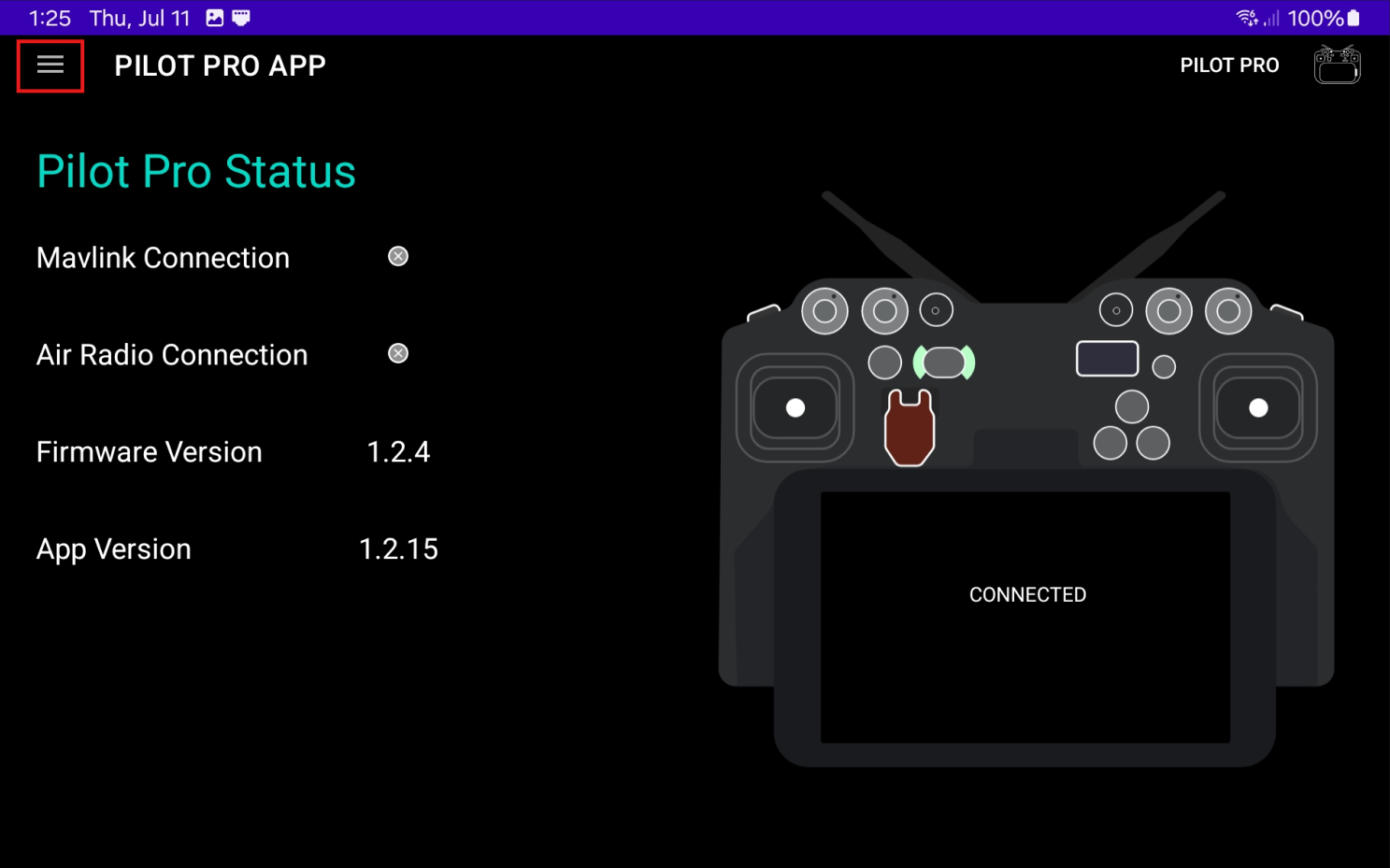
* Open the Pilot Pro App and open the side menu
Opening side menu in the Pilot Pro App
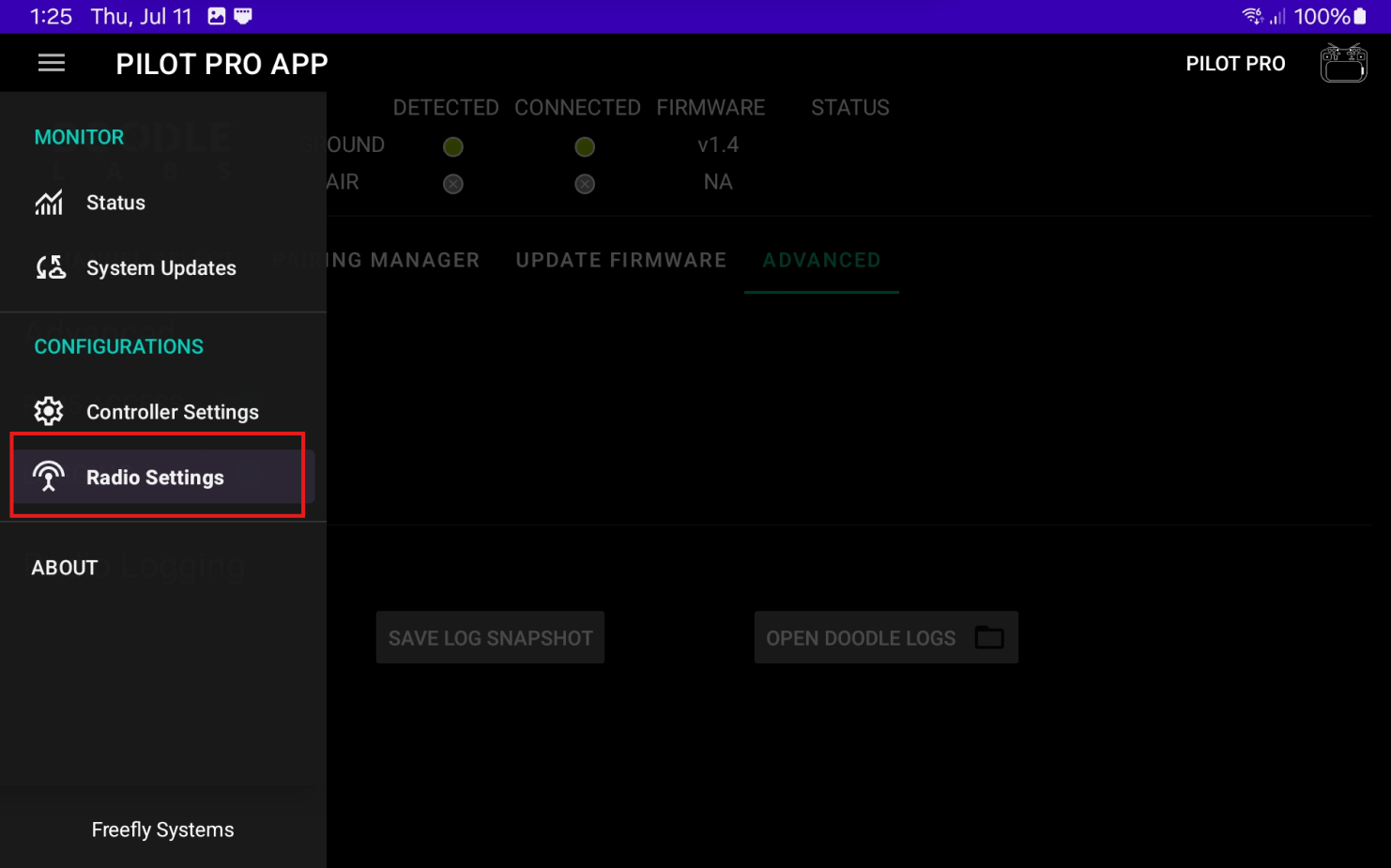
* Navigate to "Radio Settings". Then open "Pairing Manager"
Radio Settings location in the Pilot Pro App
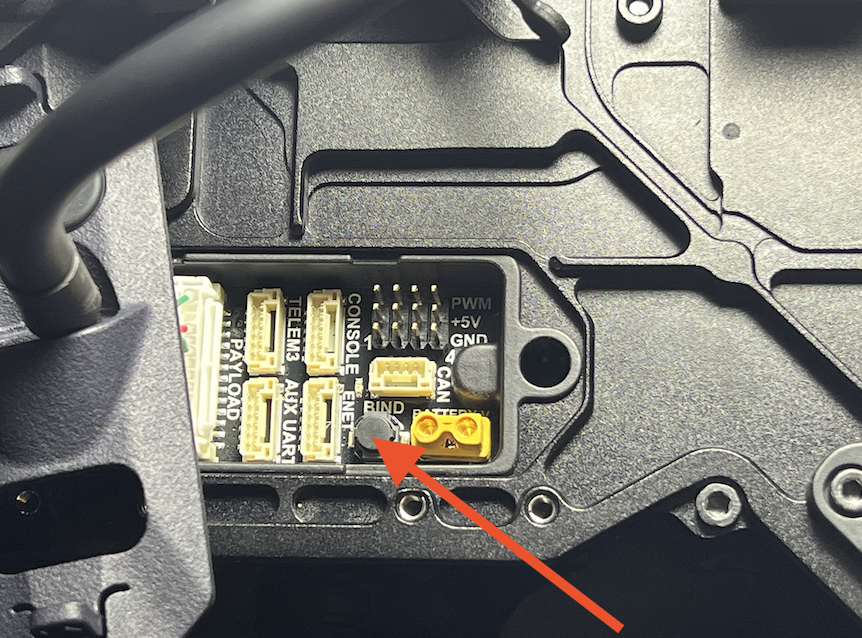
* Find the bind button under Astro. Its next to the yellow XT connector on the IO Panel.
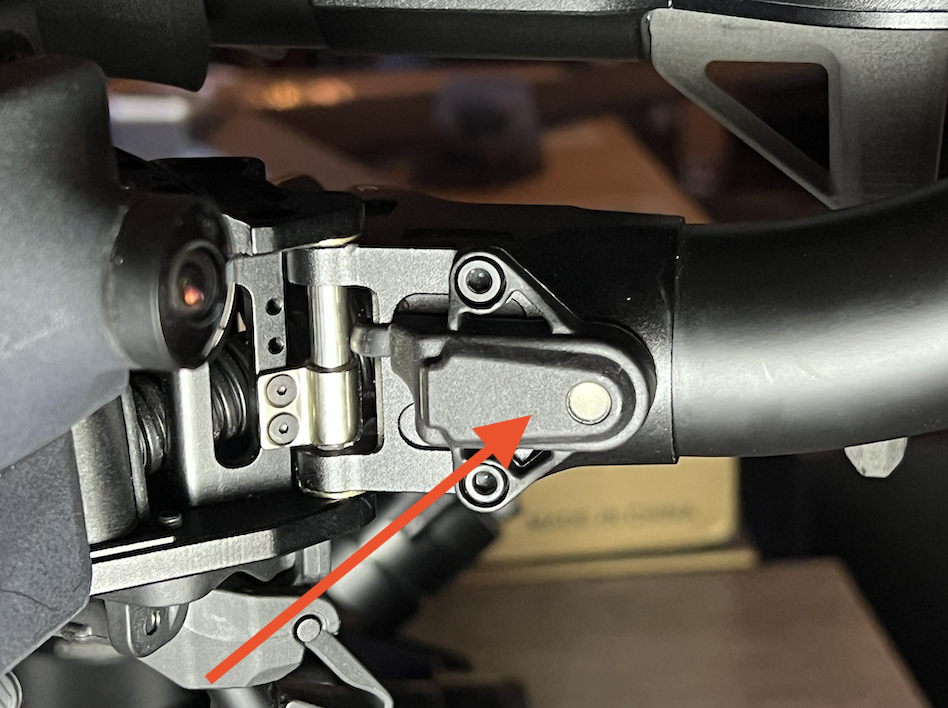
* Also locate the external compass module (on boom 4).
* Press on the bind button 3 times. Then make sure the LED on the external compass module starts to blink fast in white/pink.
* Wait 30 seconds (for Doodle to fully switch to pairing mode). Then press Scan in the Pilot Pro App. From the list of results, find the one that matches Astro's serial number. Then press pair.
* Wait 60 seconds for process to complete.
---
# Agent Instructions
This documentation is published with GitBook. GitBook is the documentation platform designed so that both humans and AI agents can read, navigate, and reason over technical content effectively. Learn more at gitbook.com.
## Querying This Documentation
If you need additional information that is not directly available in this page, you can query the documentation dynamically by asking a question.
Perform an HTTP GET request on the current page URL with the `ask` query parameter, and the optional `goal` query parameter:
```
GET https://docs.freeflysystems.com/ecosystem/controller/pilot-pro/operating-handbook/radio-modules/doodle-labs-radio-module/doodle-binding-pairing.md?ask=&goal=
```
`ask` is the immediate question: it should be specific, self-contained, and written in natural language.
`goal` is optional and describes the broader end goal you are ultimately trying to accomplish on behalf of the user. GitBook uses it to tailor the answer towards what is most useful for that goal.
The response will contain a direct answer to the question and relevant excerpts and sources from the documentation.
Use this mechanism when the answer is not explicitly present in the current page, you need clarification or additional context, or you want to retrieve related documentation sections.