# System Overview

<figure><img src="https://files.gitbook.com/v0/b/gitbook-legacy-files/o/assets%2F-LaNHxABbg20hfA0zTDQ%2F-MfEcI68nDcmsyyaPN7o%2F-MfEcbiwge3TIKh3m841%2FthreeQtrUnfolded.jpg?alt=media&#x26;token=5d01687a-c96d-4a51-b992-1f1958ca7538" alt=""><figcaption></figcaption></figure>

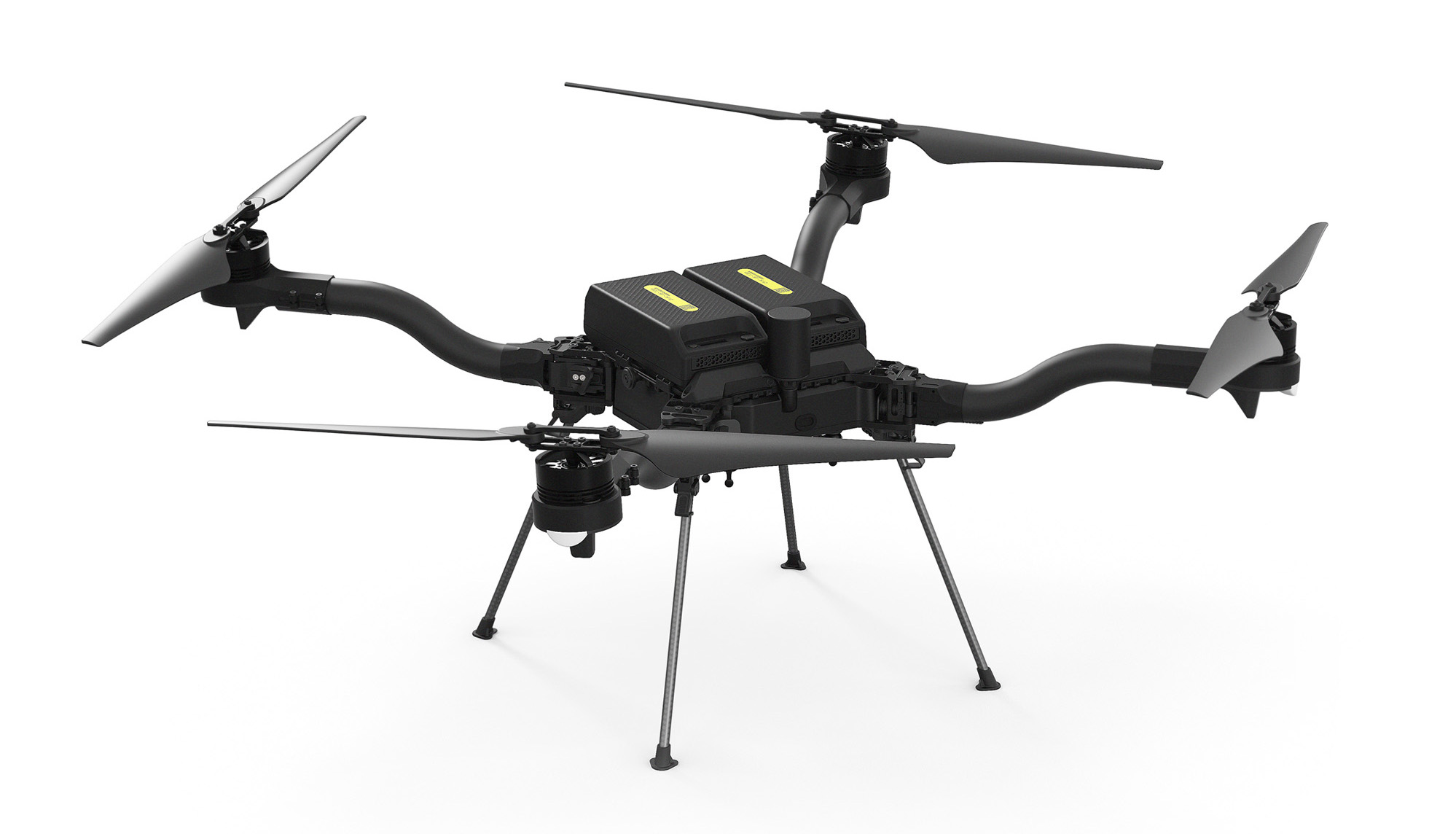
Astro is the next generation of Freefly aircraft, which emphasizes expandability and customization to make sure it can stand up to all challenges thrown its way while still being the reliable workhorse drone that Freefly pilots know and love.

​

## Key Components

### Astro Aircraft Layout

![](/files/GfgsFcK4zB90BkWBOejf)

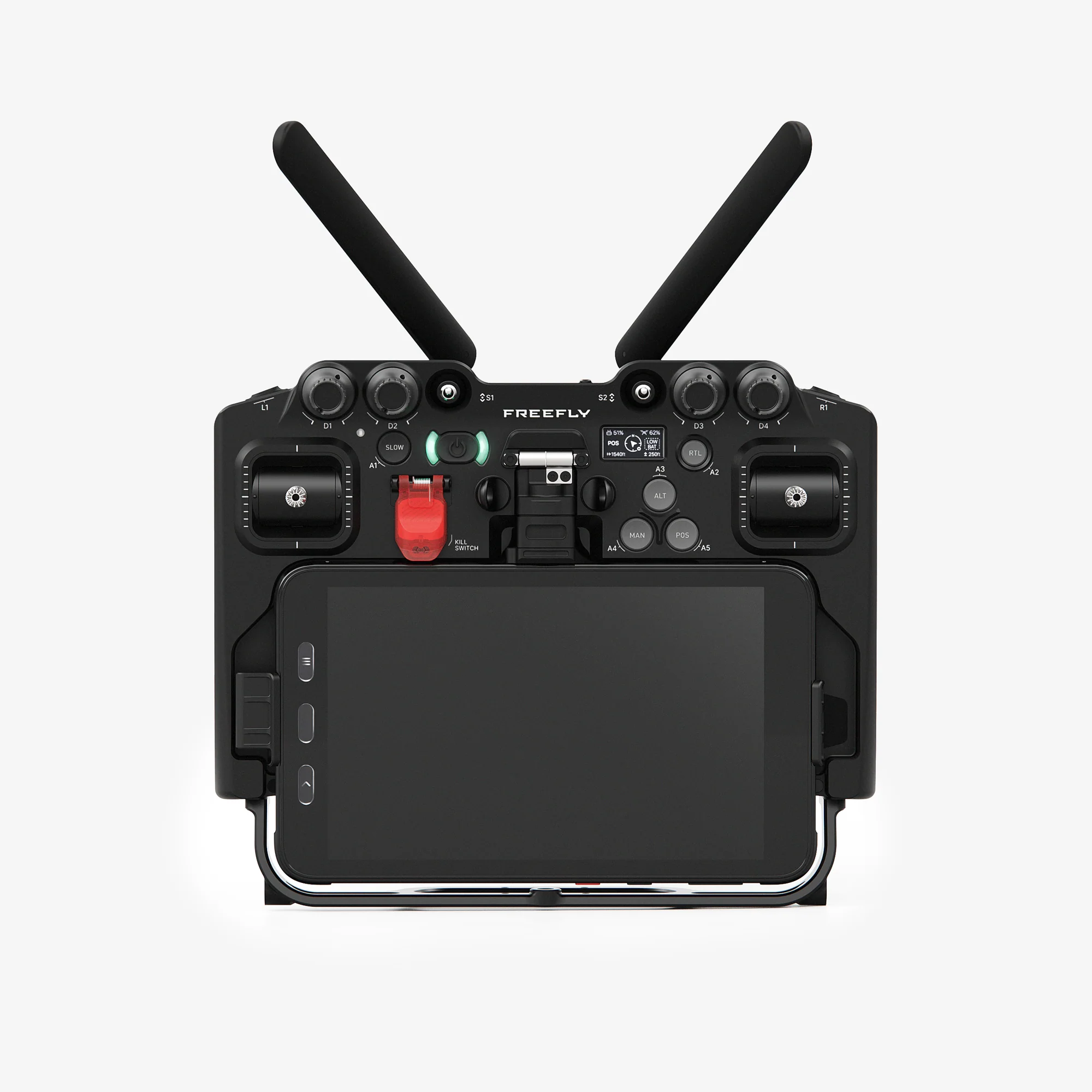
### Astro Transmitter

{% tabs %}
{% tab title="Pilot Pro" %}
The current iteration of Astro ships with [**Pilot Pro**](https://store.freeflysystems.com/products/pilot-pro)**,** our custom controller. For more information, check the [Pilot Pro wiki](https://freefly.gitbook.io/pilot-pro-public/).

<figure><img src="/files/zVEORviLdWIYQ3cb0biA" alt=""><figcaption></figcaption></figure>
{% endtab %}

{% tab title="Herelink Controller" %}
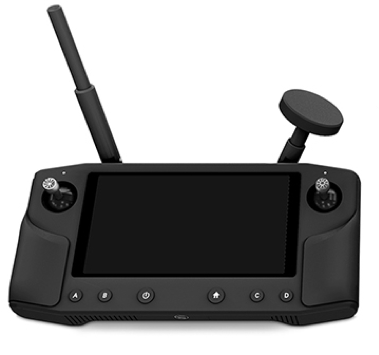
Astro shipped with the [Herelink](/astro/other-user-manuals/ecosystem/components/pilot-handsets.md#herelink) controller as the pilot handset before late 2023. It runs a custom version of [Auterion Mission Control](/astro/pilots-operating-handbook/essential-software/auterion-mission-control.md) as its flight software.

<figure><img src="/files/6MNcjdTy3RsCq97rm6qF" alt=""><figcaption></figcaption></figure>
{% endtab %}
{% endtabs %}

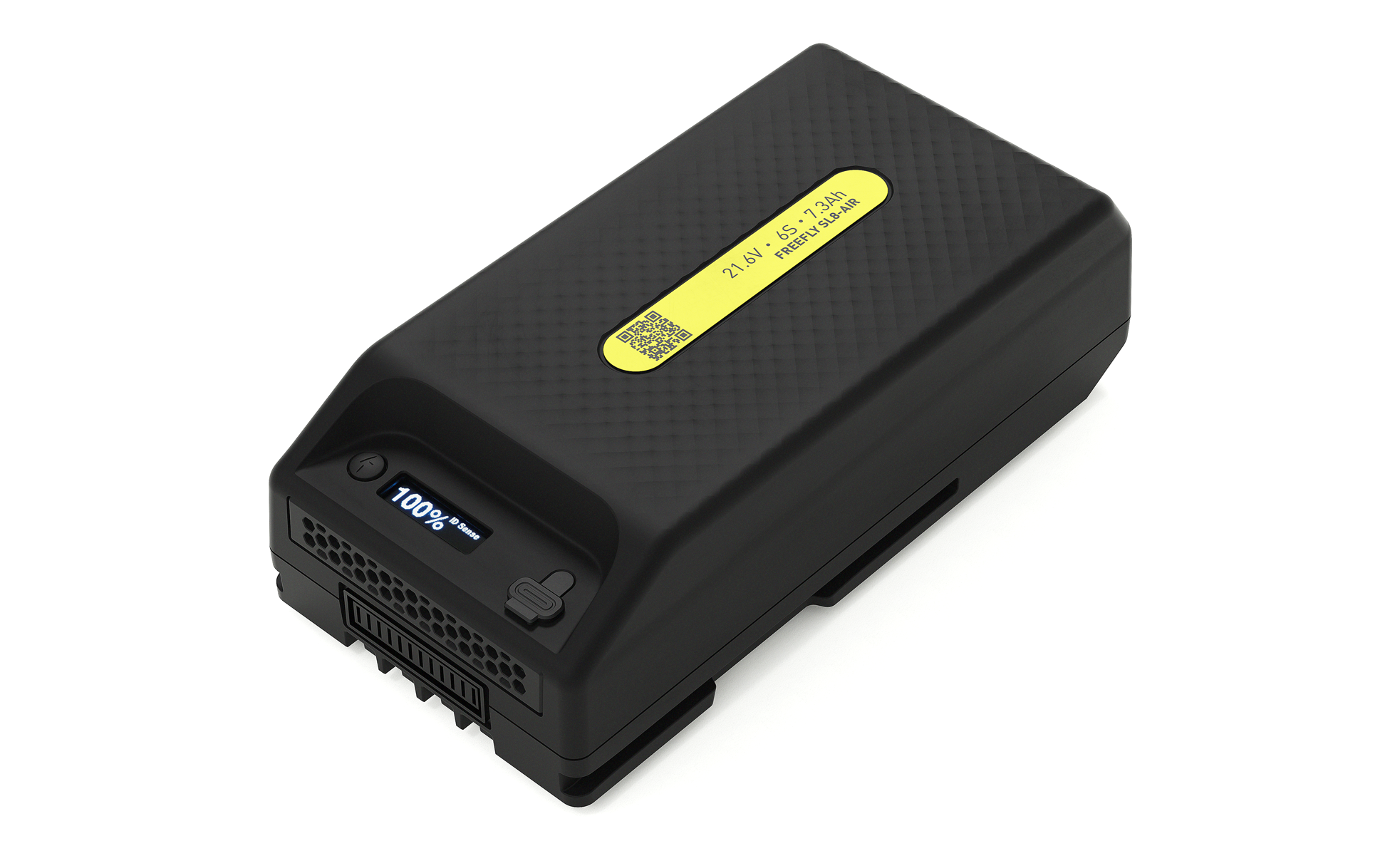
### SuperLight Battery

<figure><img src="https://files.gitbook.com/v0/b/gitbook-legacy-files/o/assets%2F-LaNHxABbg20hfA0zTDQ%2F-MfEmRdbLk4fiXy40ZTT%2F-MfEmcEjSnhBP0QYkMQf%2Fimage.png?alt=media&#x26;token=274368b1-176e-472b-a856-2636772e2193" alt=""><figcaption></figcaption></figure>

SuperLight Lithium-ion batteries are designed and manufactured by Freefly. You can find more information on the battery in the [SuperLight Battery](https://docs.freeflysystems.com/ecosystem/power/superlight-batteries) section of the wiki.

## Astro LEDs

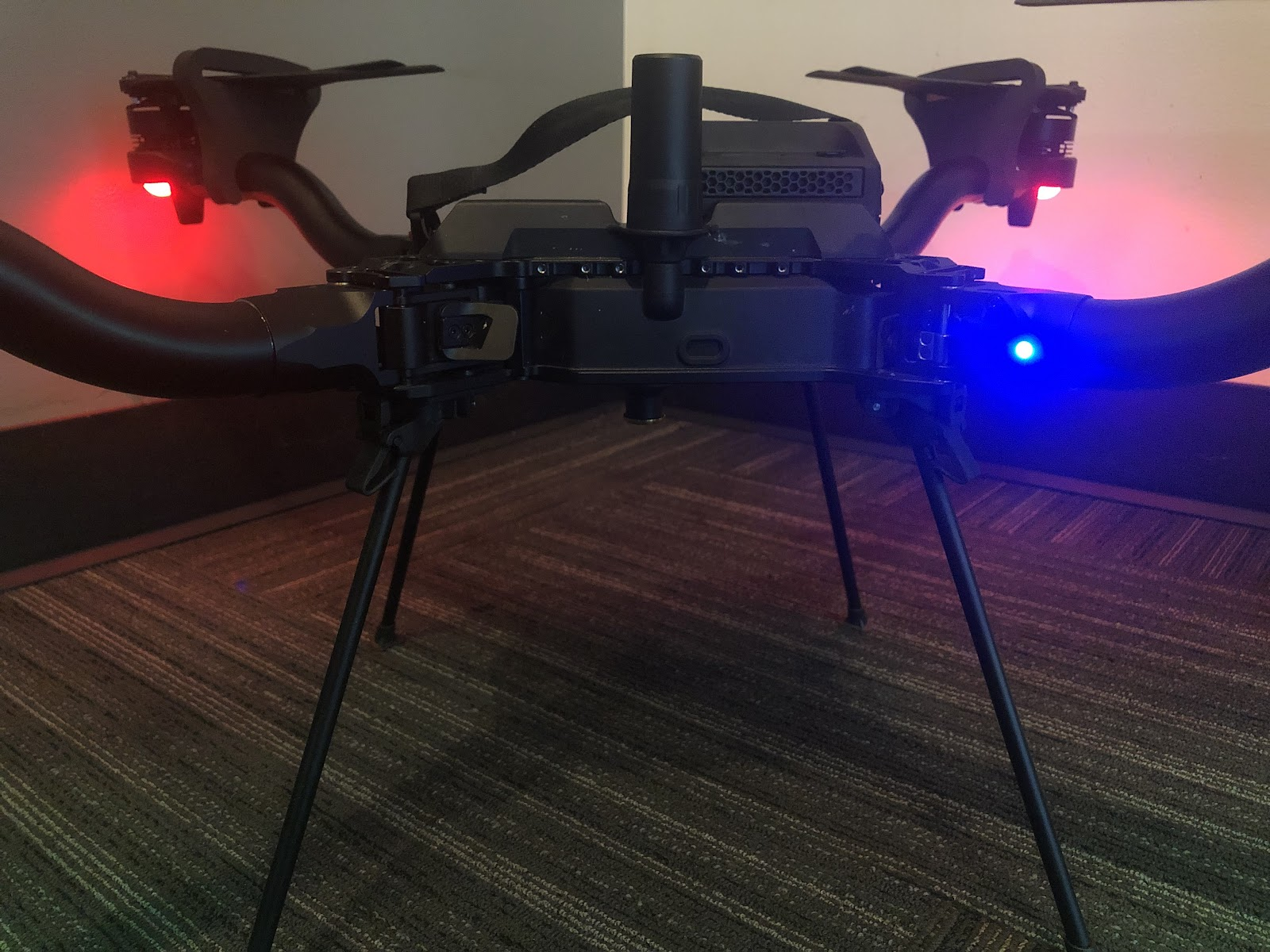
There are 5 total status LEDs on the Astro. The 4 boom LEDs at the end of each arm show constant lights in most circumstances. By default, the rear two boom LEDs are red, and the front two boom LEDs are green. These LEDs will blink as the battery gets low, and blink quickly if there is an error.

The Astro uses a multi-color status indicator LED to communicate aircraft status on the ground. This LED is located on the front-left boom of the aircraft (pictured below in blue on boom 4). See the table below for complete information on the color codes

<figure><img src="/files/-MfEegHbvtKH2755Hm6v" alt="color code"><figcaption><p>Location of the Status Indicator LED (Blue)</p></figcaption></figure>

### Status Indicator LED Color Codes

| Color      | Meaning            | Detail                                                                                                                               |
| ---------- | ------------------ | ------------------------------------------------------------------------------------------------------------------------------------ |
| Solid Blue | Armed, No GPS Lock | Indicates vehicle has been armed and has no position lock from the GPS. Position, Mission and Return flight modes are not available. |

\| | Pulsing Blue | Disarmed, No GPS Lock | Indicates vehicle is disarmed and has no position lock from the GPS. Position, Mission and RTL flight modes will not be available until GPS lock is acquired. | | Solid Green | Armed, GPS Lock |

Indicates vehicle has been armed and has position lock from the GPS. All flight modes are available.

\| | Pulsing Green | Disarmed, GPS Lock | Indicates vehicle is disarmed and has position lock from the GPS. All flight modes will be available. | | Solid Purple | Failsafe Mode | Indicates an error has been encountered during flight and the vehicle will activate the Failsafe Action (Return To Launch by default). | | Solid Amber | Low Battery Warning | Indicates a battery voltage below threshold. | | Flashing Red | Error / Setup Required | Indicates an error, typically an issue with sensor calibration or autopilot configuration. |


---

# Agent Instructions: Querying This Documentation

If you need additional information that is not directly available in this page, you can query the documentation dynamically by asking a question.

Perform an HTTP GET request on the current page URL with the `ask` query parameter:

```
GET https://docs.freeflysystems.com/astro/pilots-operating-handbook/system-overview.md?ask=<question>
```

The question should be specific, self-contained, and written in natural language.
The response will contain a direct answer to the question and relevant excerpts and sources from the documentation.

Use this mechanism when the answer is not explicitly present in the current page, you need clarification or additional context, or you want to retrieve related documentation sections.
