# Terrain Follow

**Terrain Follow** is a feature commonly found in various flight simulation and drone control systems that enables an aircraft or vehicle to automatically adjust its altitude based on the contours of the terrain below. This capability is essential for maintaining safe and efficient flight paths over mountainous or uneven landscapes, preventing the risk of terrain collision. Enabling Terrain Follow enhances situational awareness and simplifies navigation by ensuring that the vehicle follows the natural topography without requiring constant manual altitude adjustments. This guide will walk you through the steps needed to enable and configure Terrain Follow, offering an improved and safer operational experience for pilots and operators.

{% hint style="warning" %}
Terrain Follow is only as effective as the elevation data it relies on and should not be considered a substitute for pilot vigilance. The system may not account for obstacles such as trees or buildings, which could pose a risk if not monitored manually by the operator. Therefore, while Terrain Follow enhances safety by adapting to terrain contours, pilots must remain attentive to their surroundings at all times.
{% endhint %}

{% hint style="info" %}
Terrain follow is only supported for Patterns and is not available on waypoint missions
{% endhint %}

## Setting Up a Terrain Follow Mission

{% tabs %}
{% tab title="Video" %}

<figure><img src="/files/lFJT1UAHIp5BRTPrOIGe" alt=""><figcaption></figcaption></figure>
{% endtab %}

{% tab title="Photos" %}

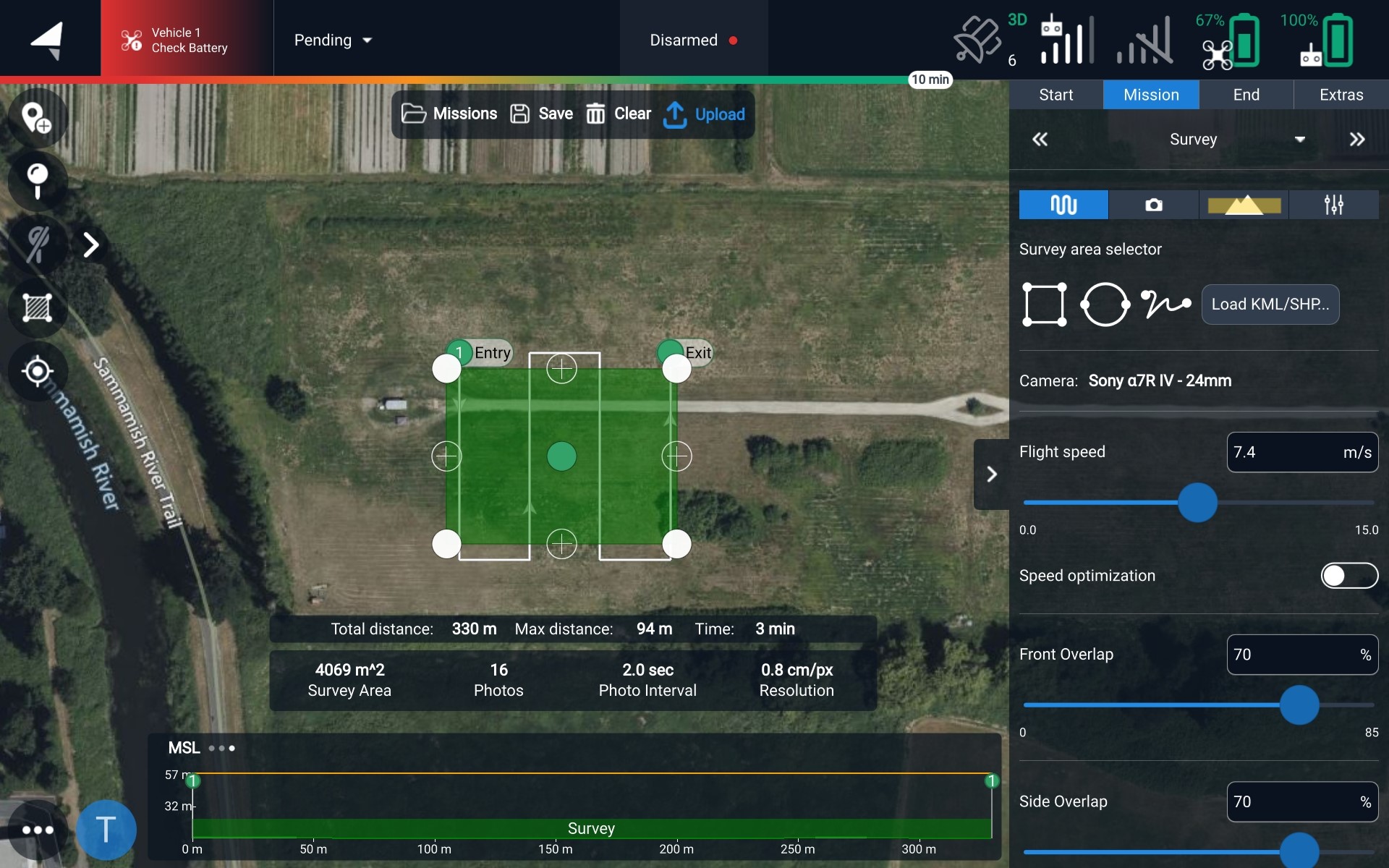
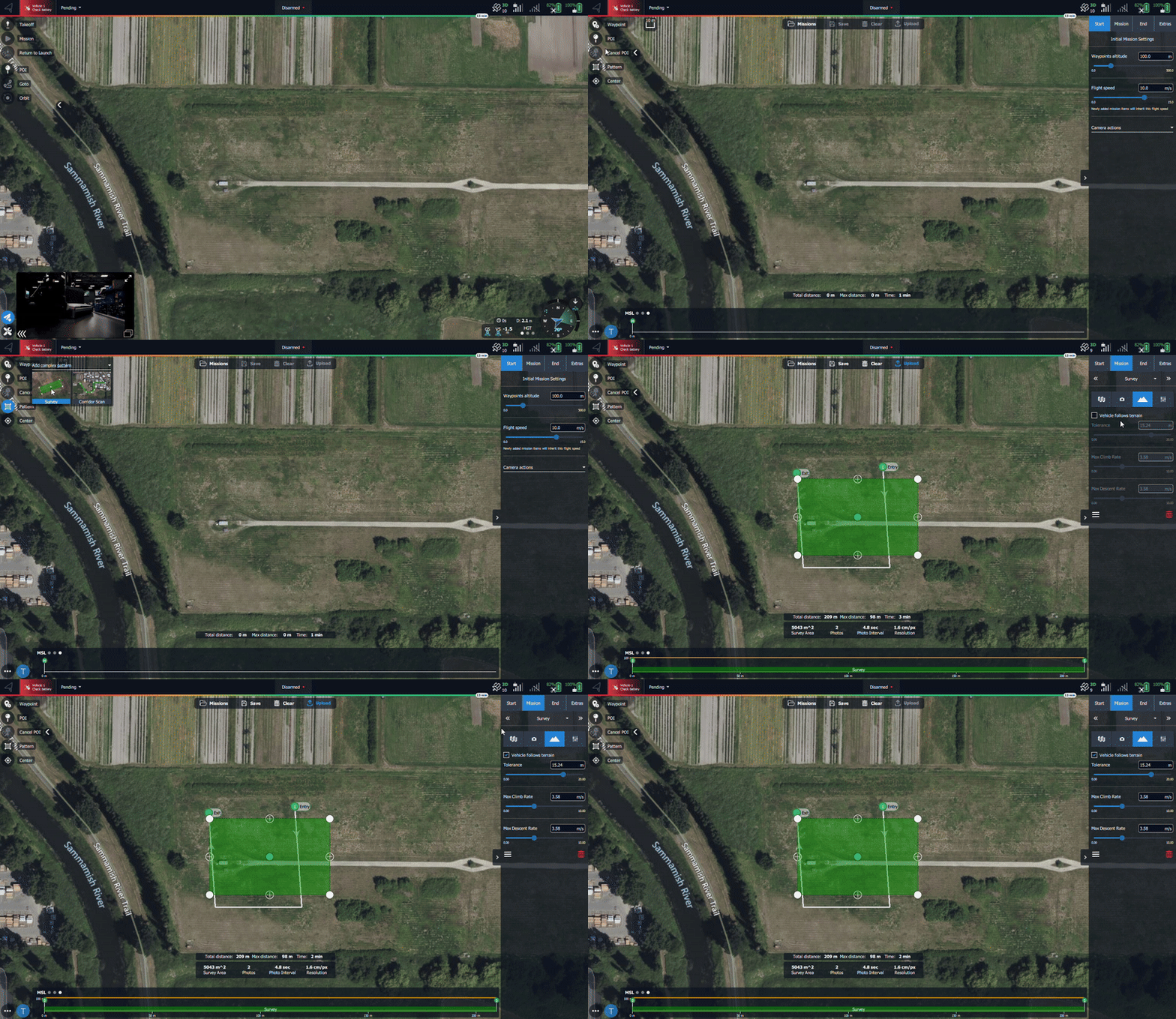
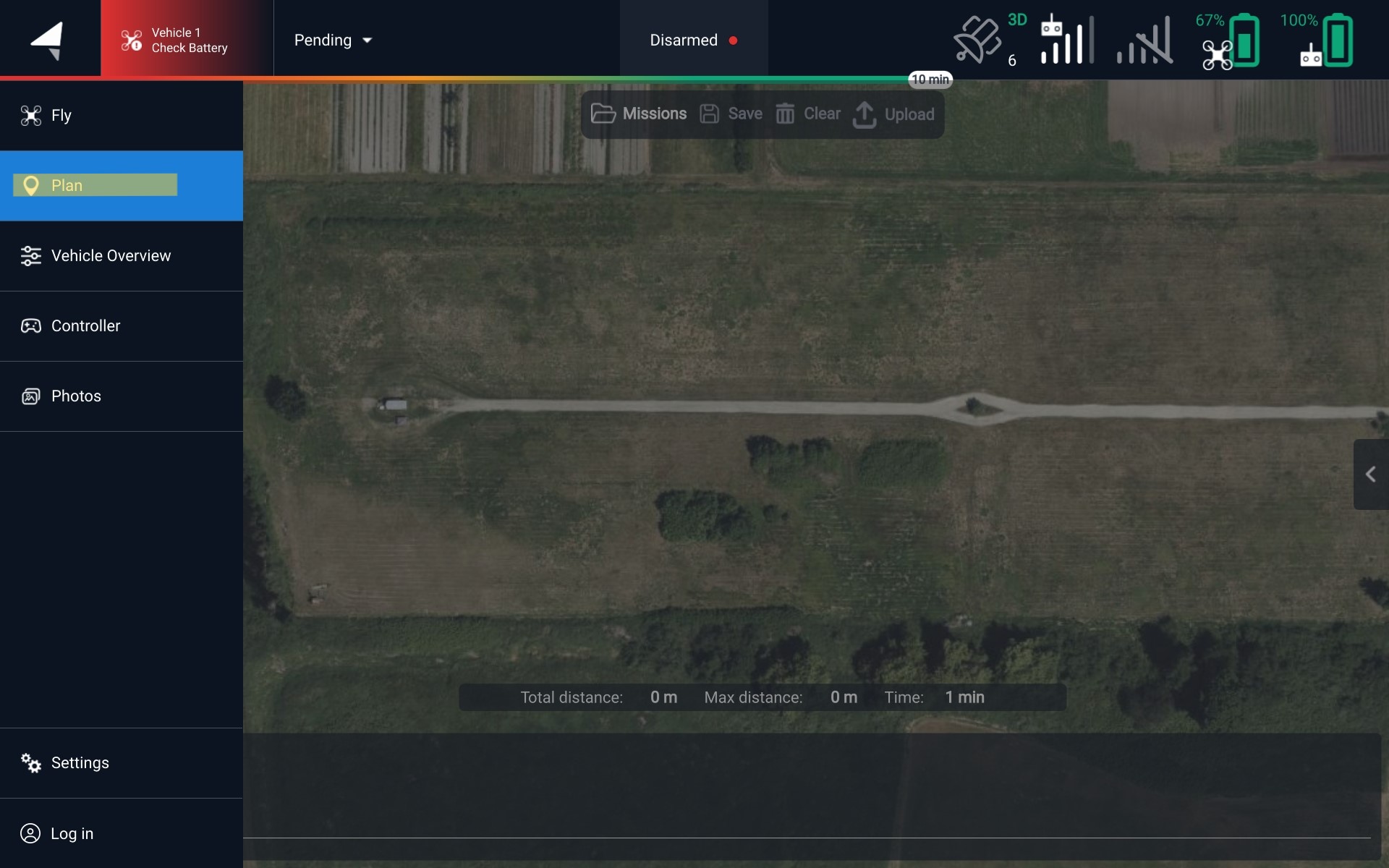
<figure><img src="/files/McaA5UmuYIBG9l6o5Mv7" alt=""><figcaption><p>Navigate to the Plan screen</p></figcaption></figure>

<figure><img src="/files/jAIUPXHSoawVNZ1kH62W" alt=""><figcaption><p>Start one of the pattern options</p></figcaption></figure>

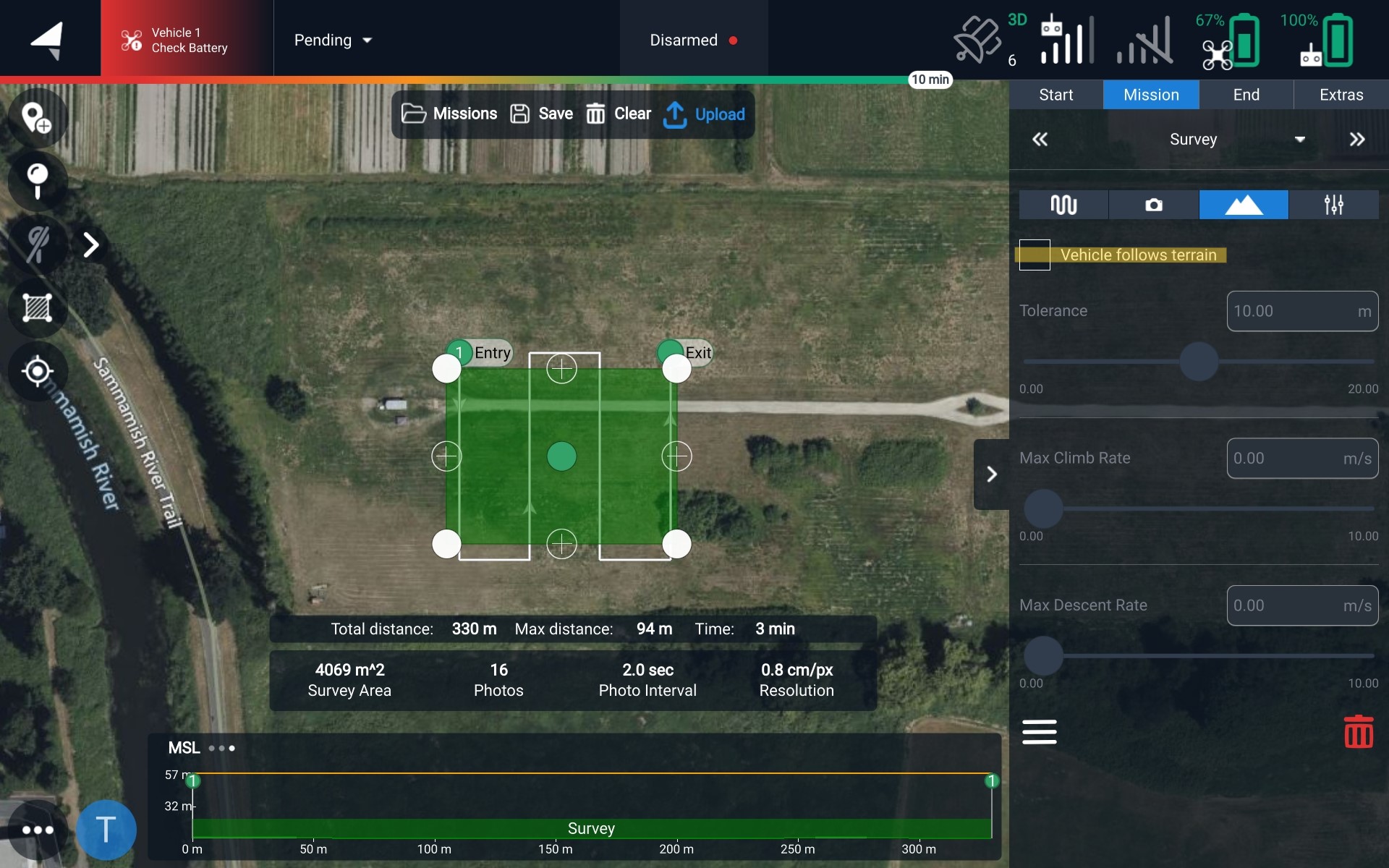
<figure><img src="/files/PJ4yqaiGjttSWVc5S7jU" alt=""><figcaption><p>Navigate to the 'mountain' section</p></figcaption></figure>

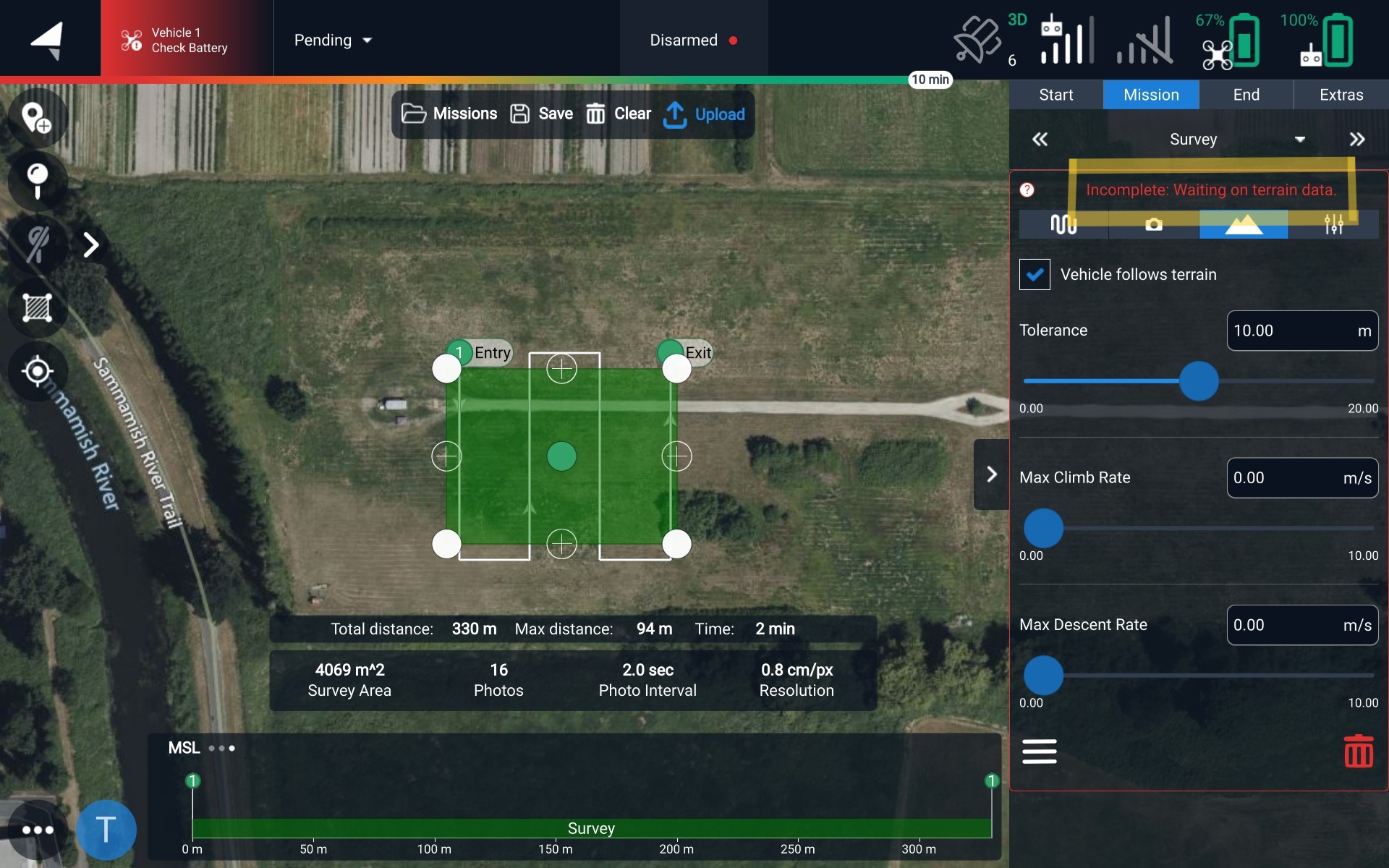
<figure><img src="/files/x2E20QFevlGUmHyEPJXN" alt=""><figcaption><p>Enable Terrain Follow by checking the box</p></figcaption></figure>

<figure><img src="/files/XBbwmPEdlKUGYbJa0XLQ" alt=""><figcaption><p>Indicating Terrain Follow is enabled, but it is downloading the terrain data</p></figcaption></figure>
{% endtab %}
{% endtabs %}

## Offline Maps and Terrain Data

Terrain Follow requires the terrain data to be downloaded. The download can happen when you enable it on the mission, or you can preload the data. To download maps, please follow our [Offline Maps instructions](/astro/pilots-operating-handbook/essential-software/auterion-mission-control/amc-plan/offline-maps.md)

{% hint style="info" %}
Tablet on the Pilot Pro must be connected to the internet to download maps
{% endhint %}

## Changing Terrain Data Providers

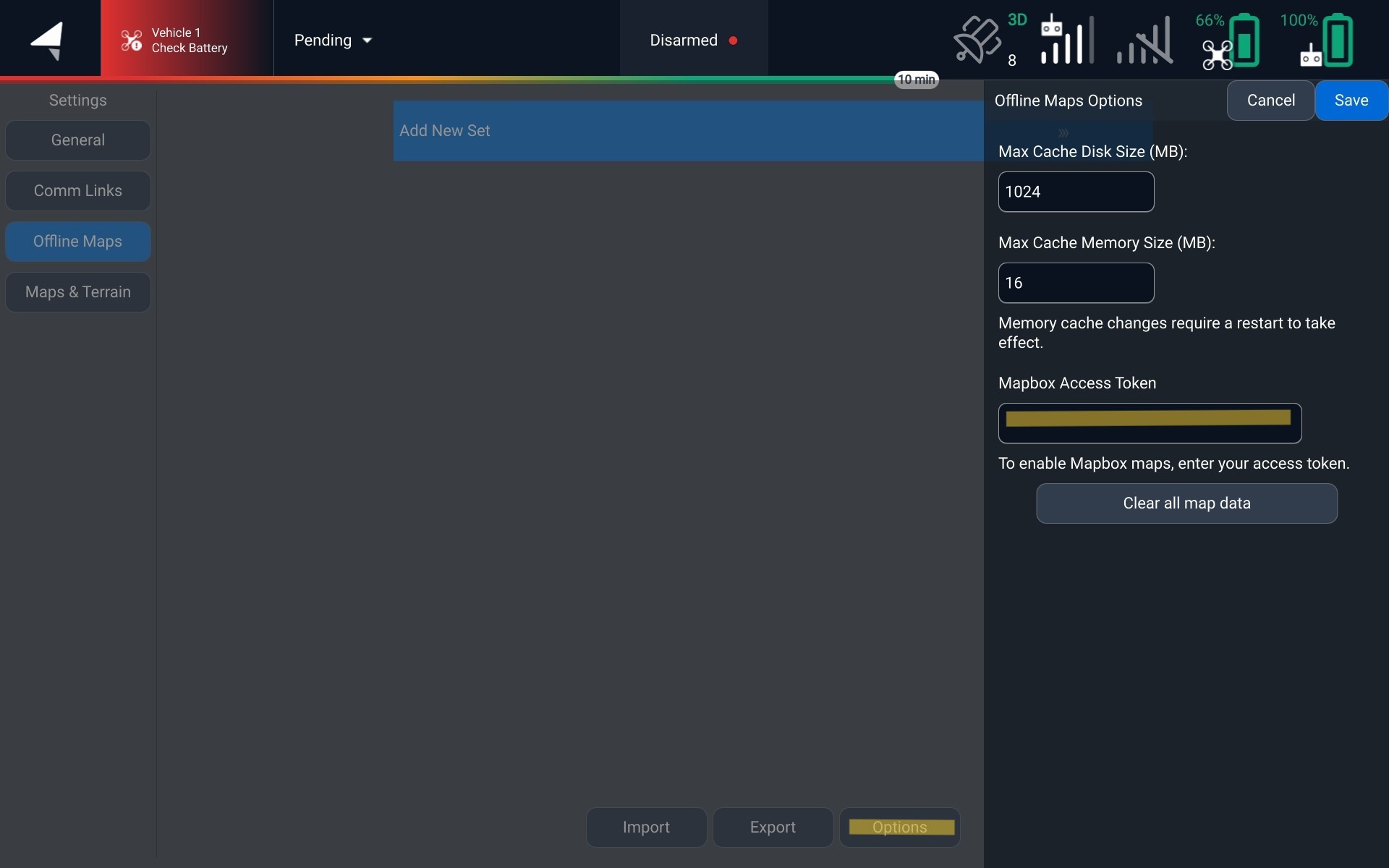
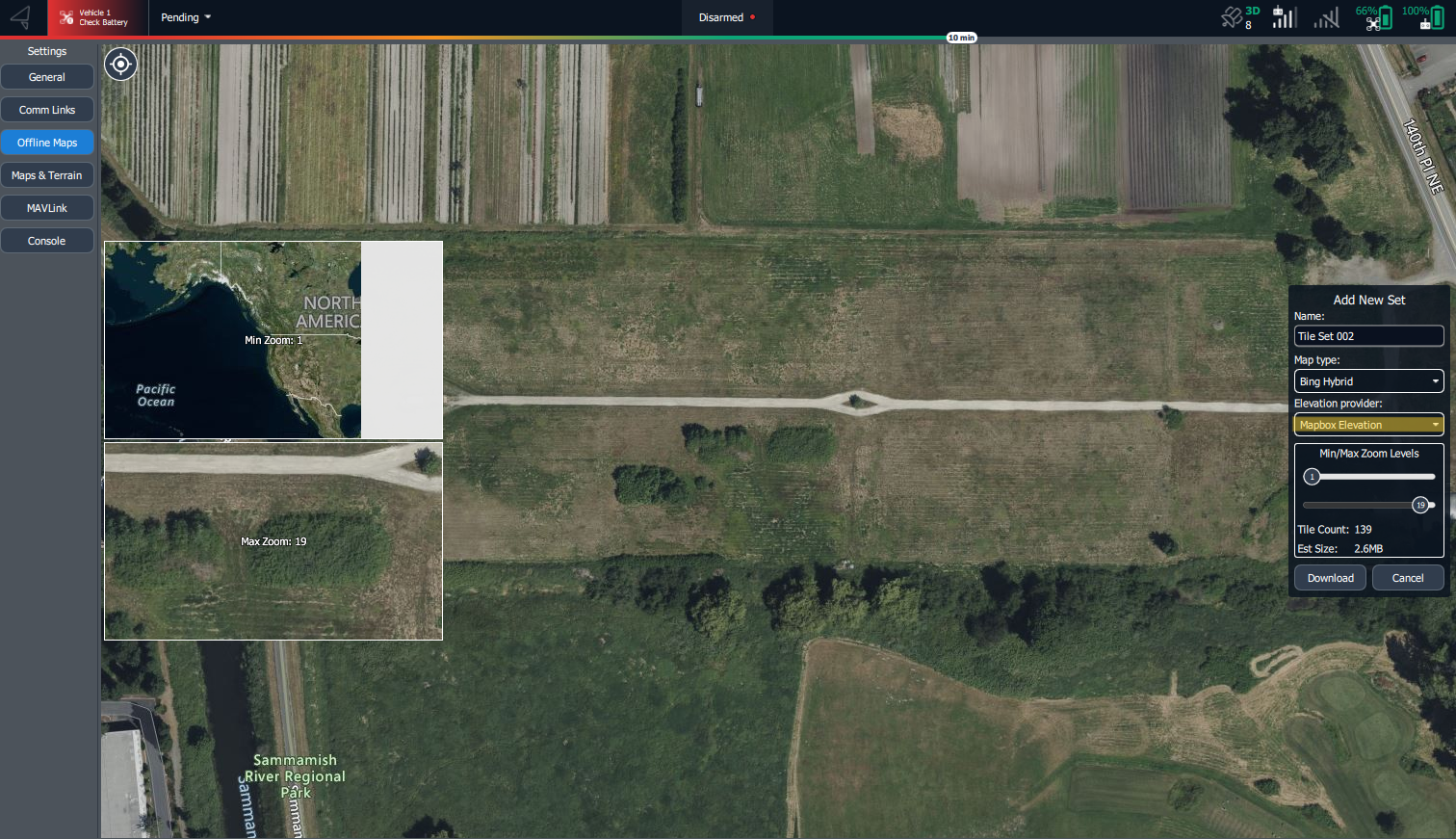
By default we use Copernicus Elevation for our terrain provider. AMC also supports Mapbox for offline maps. To change your elevation data to use Mapbox, this can be changed in the offline maps settings by entering your Mapbox Access Token

<figure><img src="/files/rIgvR0zxsxxozSUSpNe9" alt=""><figcaption><p>Where to enter your Mapbox Access Token</p></figcaption></figure>

Once you have this saved, you can now select Mapbox when downloading an offline map

<figure><img src="/files/2TbOk0Pw0GwzIRlT5Omf" alt=""><figcaption><p>Offline Map with Mapbox Elevation</p></figcaption></figure>


---

# Agent Instructions: Querying This Documentation

If you need additional information that is not directly available in this page, you can query the documentation dynamically by asking a question.

Perform an HTTP GET request on the current page URL with the `ask` query parameter:

```
GET https://docs.freeflysystems.com/astro/pilots-operating-handbook/essential-software/auterion-mission-control/amc-plan/terrain-follow.md?ask=<question>
```

The question should be specific, self-contained, and written in natural language.
The response will contain a direct answer to the question and relevant excerpts and sources from the documentation.

Use this mechanism when the answer is not explicitly present in the current page, you need clarification or additional context, or you want to retrieve related documentation sections.