> For the complete documentation index, see [llms.txt](https://docs.freeflysystems.com/llms.txt). Markdown versions of documentation pages are available by appending `.md` to page URLs; this page is available as [Markdown](https://docs.freeflysystems.com/astro/other-user-manuals/ecosystem/components/skyview-payload-mount.md).
# Skyview Payload Mount
## Overview
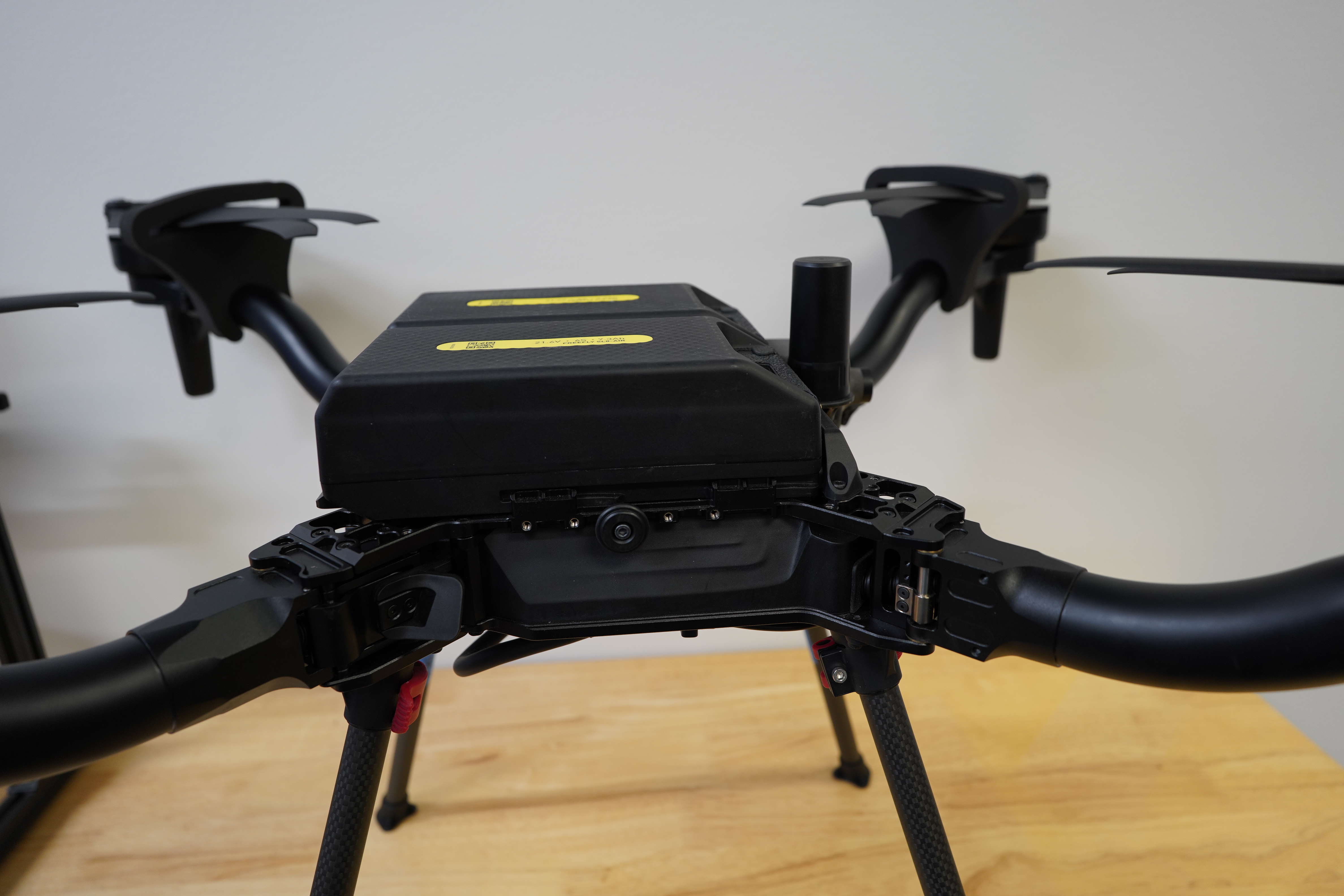
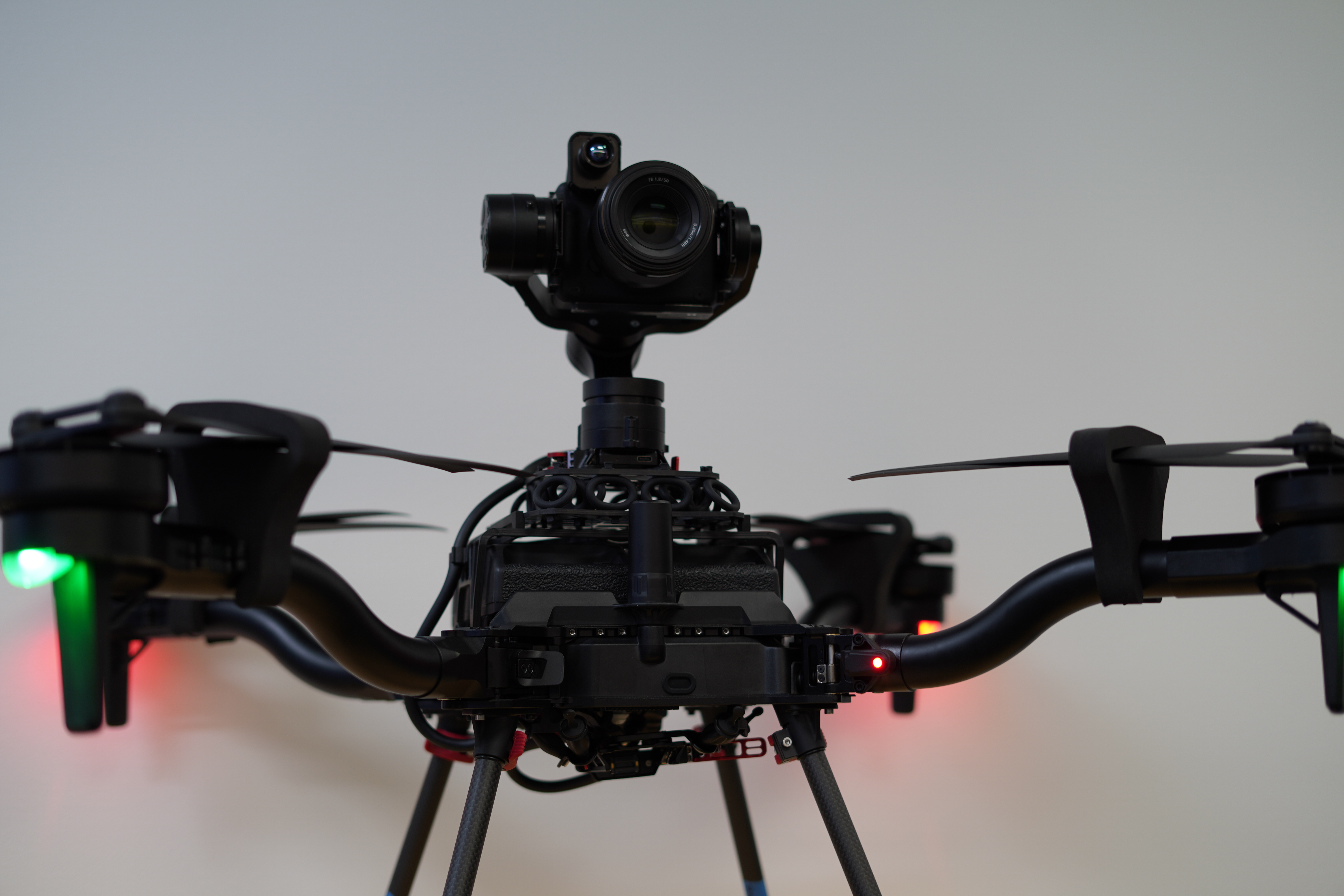
The top mounting bracket and isolation system allows for an unobstructed upward view when using gimballed payloads. This enables unique inspection applications such as the undersides of bridges, wind turbines, and more.
{% hint style="success" %}
Compatible with:
* Astro
* Astro Max
* LR1 Payload
* Running gimbal FW 2.2 or later
* OGI Payload
* Running gimbal FW 2.2 or later
* Gremsy VIO
* Running gimbal FW 7.8.6 or later
{% endhint %}
{% hint style="danger" %}
Be careful when operating in areas with partial GNSS obstruction, such as underneath bridges. Astro may drift in poor GPS conditions, or switch to Altitude mode if GNSS lock is lost.
{% endhint %}
## Installation
1. Remove the carrying strap from Astro
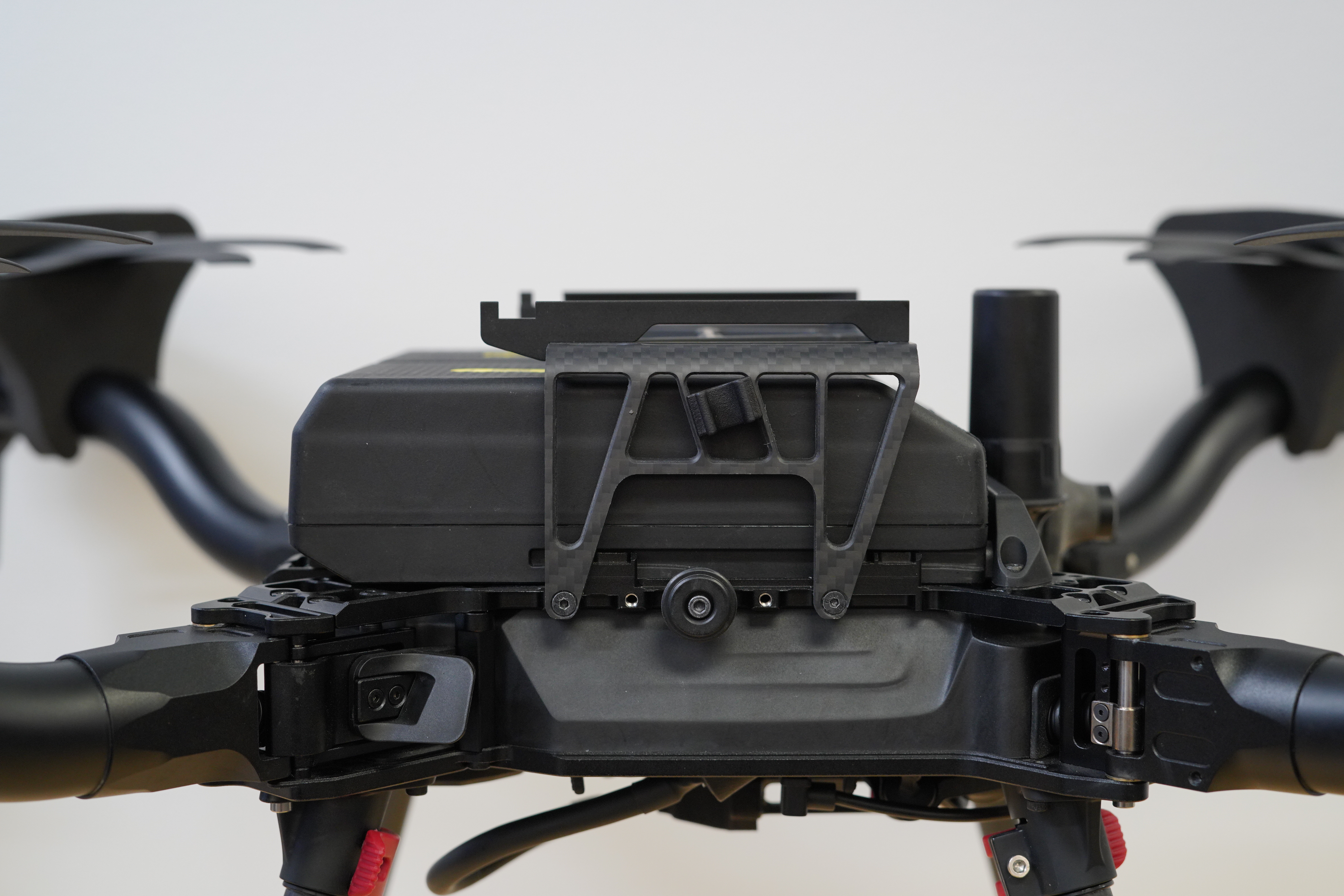
2. Install the top mount bracket using QTY 4 M3 x 10 FHCS screws and a 2.5mm hex driver
3. Slide the isolator cartridge sled with the desired durometer into the top mount
{% hint style="warning" %}
Be sure both clips on the isolator sled are engaged!

{% endhint %}
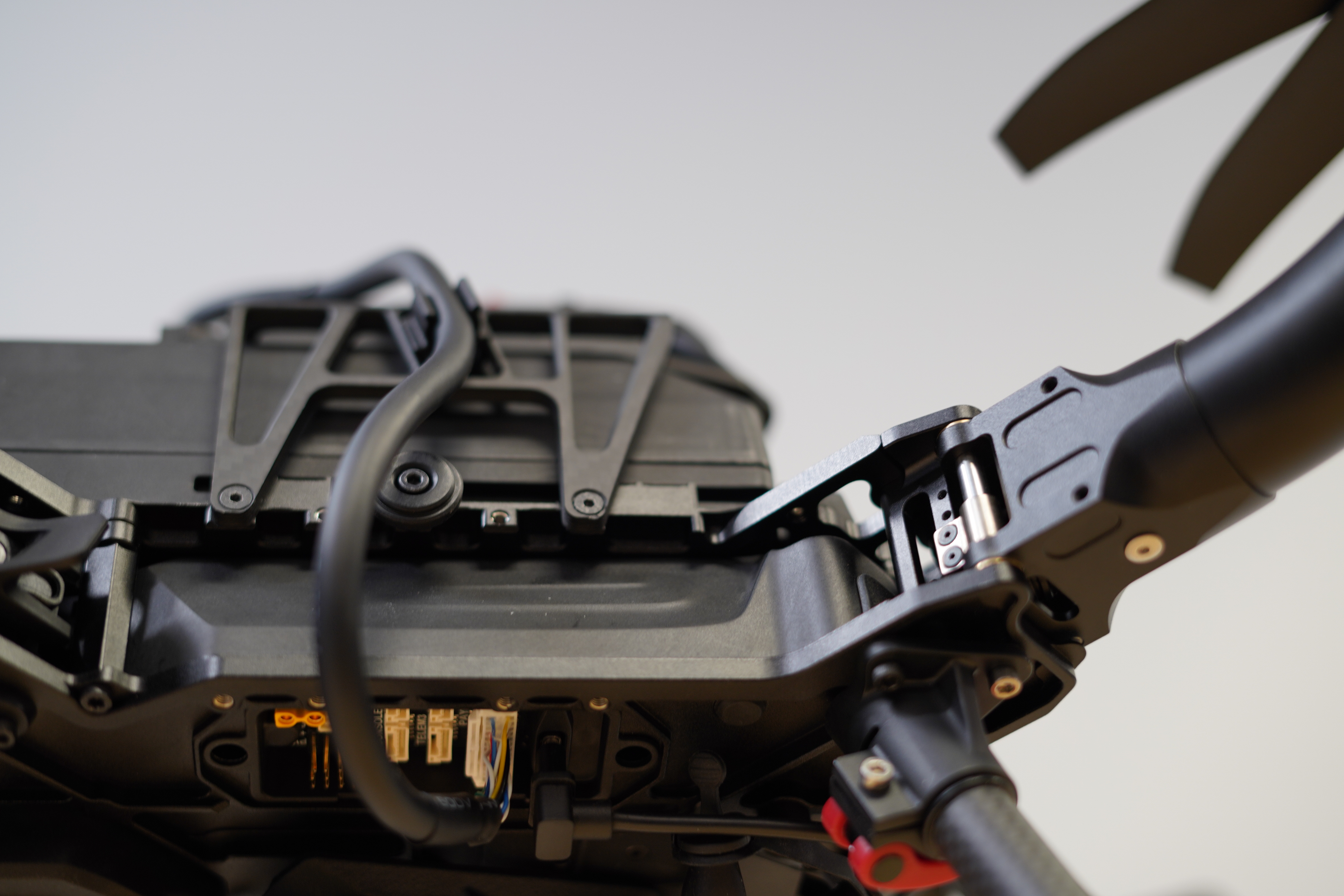
4. Clip the ZPD cable into the side of the top mount bracket, then plug it into the ZPD port on the underside of Astro. Be sure to seat the connector all the way
5. With the aircraft off, install the gimbal and close the lever. Orient the gimbal with the camera 'alpha' logo facing the right side up
6. Power on the aircraft and wait for Position lock
{% hint style="warning" %}
Astro may take longer to achieve a position lock with top mount installed, and may have slightly more drift in position mode. Use caution when flying close to objects
{% endhint %}
## Isolator Cartridges
Currently, we are offering a 30A durometer top mount isolator cartridge, which is compatible with the LR1 Payload, OGI payload, and Gremsy VIO.
## Packaging
{% hint style="success" %}
The top mount rack can stay installed when inserting Astro into the compact travel case if the isolator sled is removed.
{% endhint %}
## Weight
The Skyview Payload Mount weighs a total of about **205 g** (\~7.23 oz).
This includes both the isolator and carbon-fiber mounting plate.
## Pro Tips
{% hint style="danger" %}
Be careful when operating in areas with partial GNSS obstruction, such as underneath bridges. Astro may drift in poor GPS conditions, or switch to Altitude mode if GNSS lock is lost.
{% endhint %}
{% hint style="warning" %}
'**Gimbal Center**', '**Gimbal 45**' and '**Gimbal 90**' buttons in AMC currently don't work with the gimbal in top mount/skyview mode
{% endhint %}
* For applications with very poor or no GPS, the Emesent Hovermap ST or ST-X payload can provide SLAM positioning and obstacle avoidance. Emesent is working on adding support for top mount on Astro
---
# Agent Instructions
This documentation is published with GitBook. GitBook is the documentation platform designed so that both humans and AI agents can read, navigate, and reason over technical content effectively. Learn more at gitbook.com.
## Querying This Documentation
If you need additional information that is not directly available in this page, you can query the documentation dynamically by asking a question.
Perform an HTTP GET request on the current page URL with the `ask` query parameter, and the optional `goal` query parameter:
```
GET https://docs.freeflysystems.com/astro/other-user-manuals/ecosystem/components/skyview-payload-mount.md?ask=&goal=
```
`ask` is the immediate question: it should be specific, self-contained, and written in natural language.
`goal` is optional and describes the broader end goal you are ultimately trying to accomplish on behalf of the user. GitBook uses it to tailor the answer towards what is most useful for that goal.
The response will contain a direct answer to the question and relevant excerpts and sources from the documentation.
Use this mechanism when the answer is not explicitly present in the current page, you need clarification or additional context, or you want to retrieve related documentation sections.