For the complete documentation index, see llms.txt. This page is also available as Markdown.

Flight Part 1 - Modes

Understand the Flight Modes available on Alta X Gen2

Alta X Gen2 offers several flight modes with varying levels of pilot assistance.

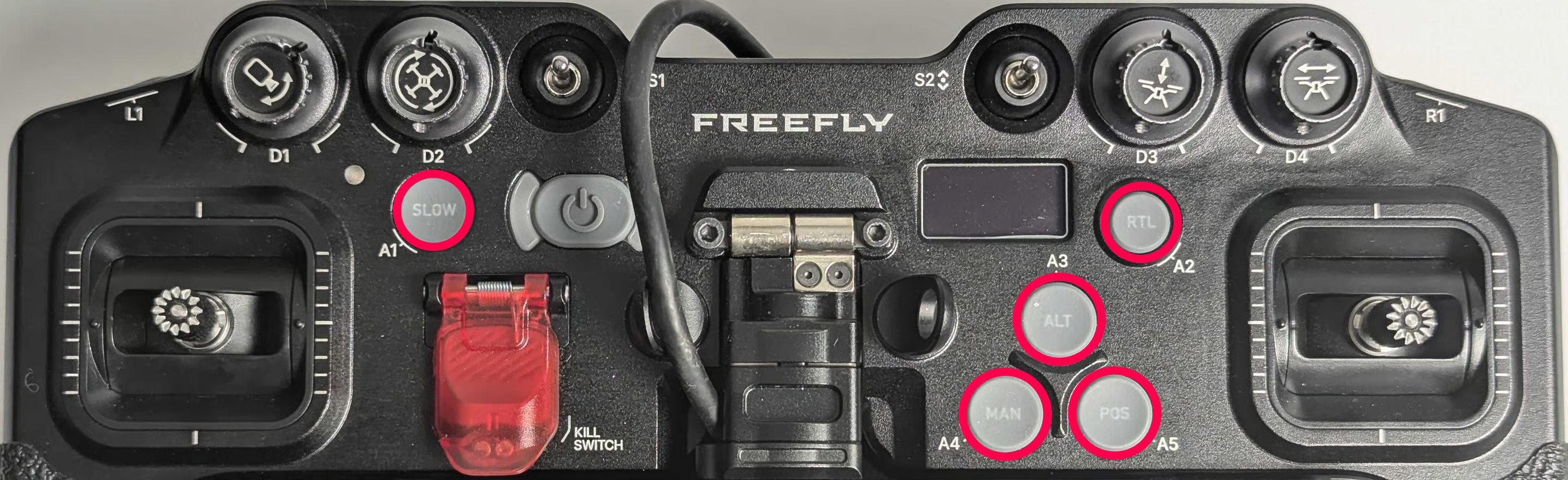
Flight mode can be changed via the buttons on Pilot Pro or the AMC app.


Pilot-Controlled Modes

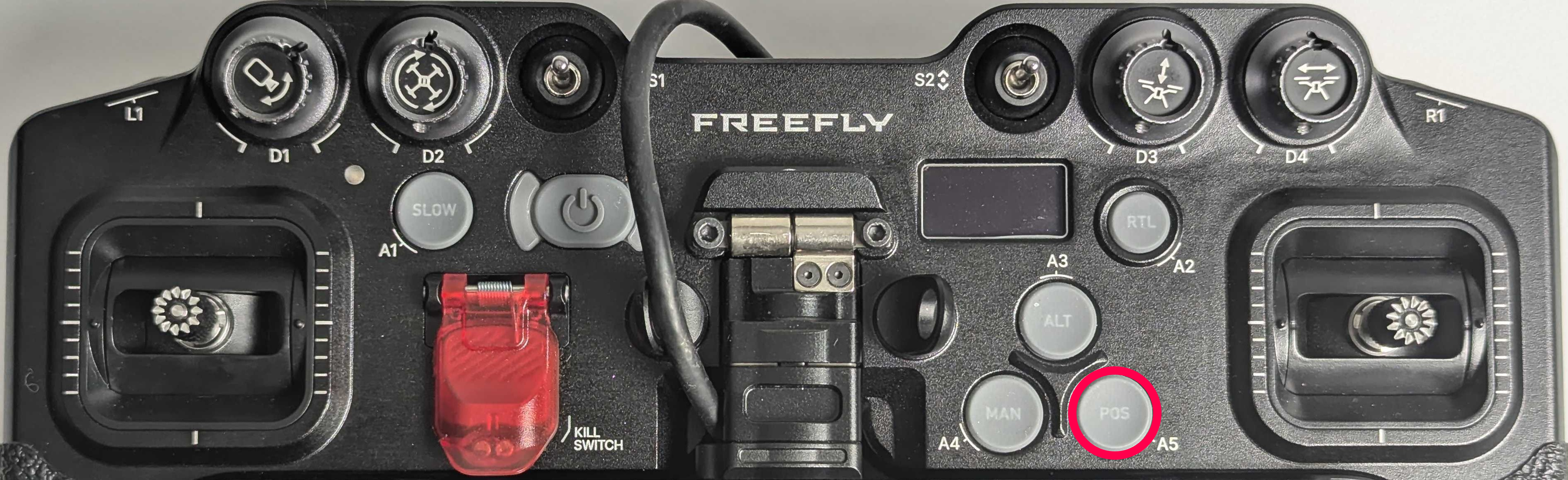
Position Mode Button on Pilot Pro
In Position Mode, when sticks are centered, the aircraft maintains its position over a point on the ground and holds altitude, correcting for disturbances.

Controls:

  • Pitch/Roll stick → commands ground speed (forward, backward, left, right)

  • Throttle stick up/down → commands vertical speed

  • Throttle stick left/right → commands yaw rate

Position Mode requires a strong GPS signal. If signal deteriorates (near buildings, under tree cover), the aircraft will automatically revert to Altitude Mode.

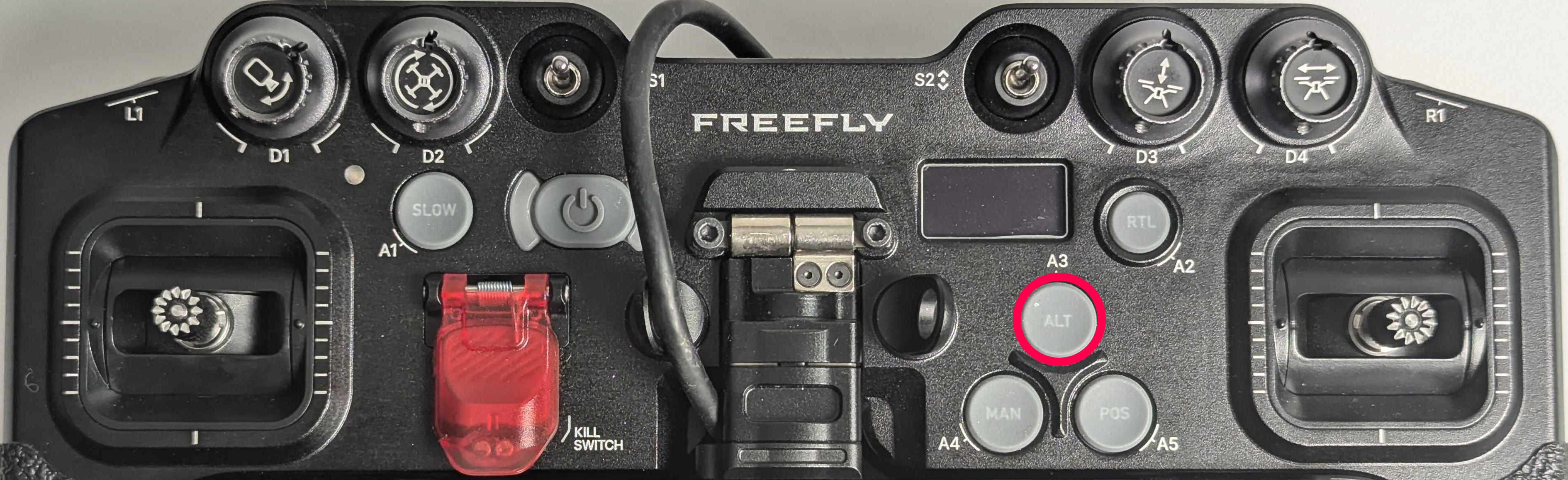
Altitude Mode Button on Pilot Pro

Similar to Position Mode, but the aircraft only holds altitude—not lateral position. Alta X Gen2 will drift with the wind and will not hold a fixed point without pilot input.

The aircraft holds altitude above Mean Sea Level (MSL) by default. It is not aware of terrain height changes without additional configuration.

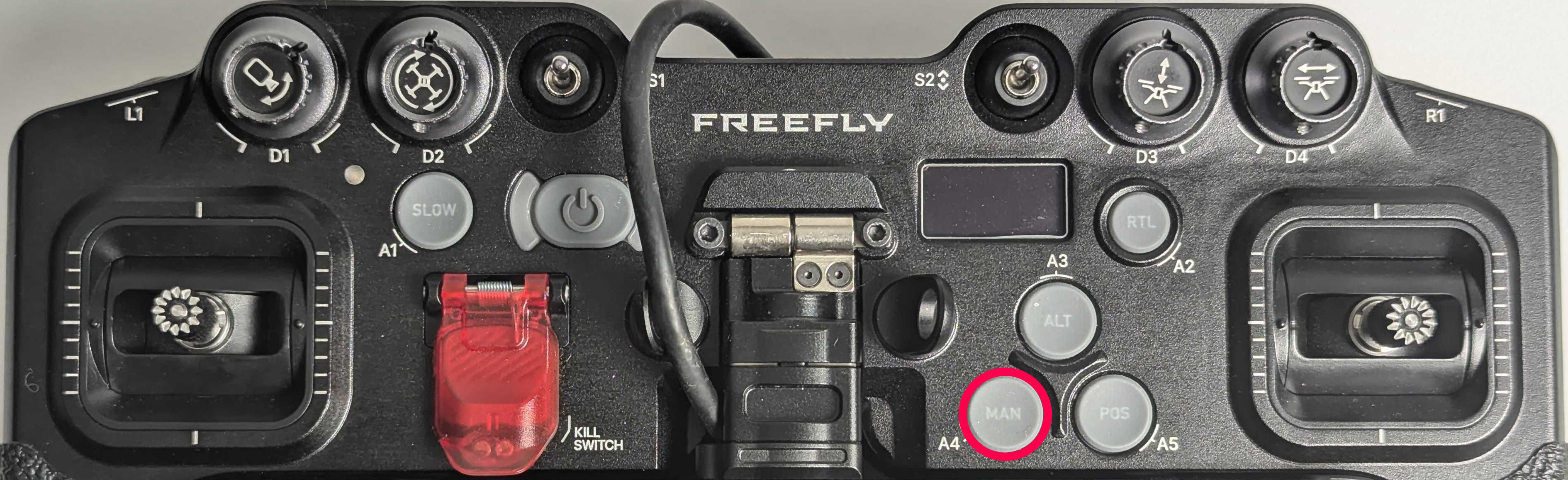
Manual Mode Button on Pilot Pro

In Manual Mode, the aircraft attempts to remain level when sticks are centered but will drift with wind. Constant throttle adjustment is required to hold altitude.

Controls:

  • Pitch/Roll stick → commands aircraft angle (tilt)

  • Throttle stick → controls motor speed directly

  • Throttle left/right → commands yaw rate

Manual Mode Settings

The hover throttle setting controls thrust produced when the throttle stick is centered.

  • Default: [TBD]% will hover with no payload

  • Approximately [TBD]% will hover with [TBD] grams of payload

Adjust hover throttle setting in AMC:

  • Switch to Advanced Mode by repeatedly tapping on the AMC icon in the top-left-hand corner of the app.

  • Go to Vehicle Setup → Tuning → Hover Throttle
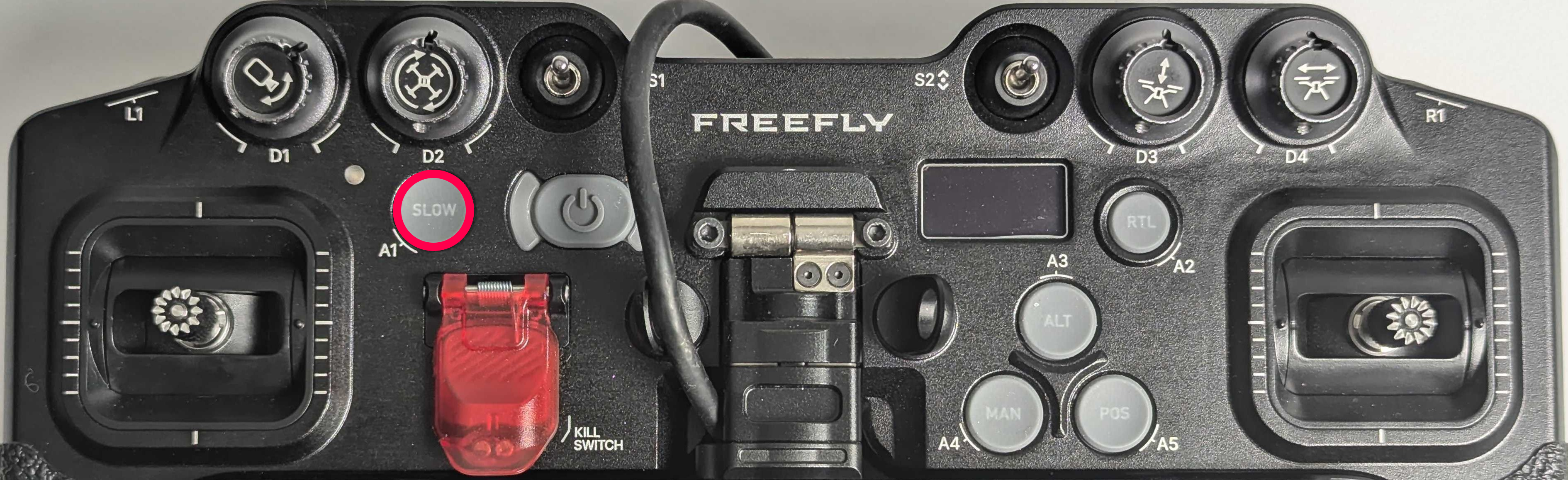
Position Slow Mode Button on Pilot Pro
Position Slow acts like Position Mode but allows finer control over movement speed using the dials on Pilot Pro. Useful for tower inspections or cinematic shots.

The gimbal's dial (left) is always active regardless of mode


Autonomous Modes

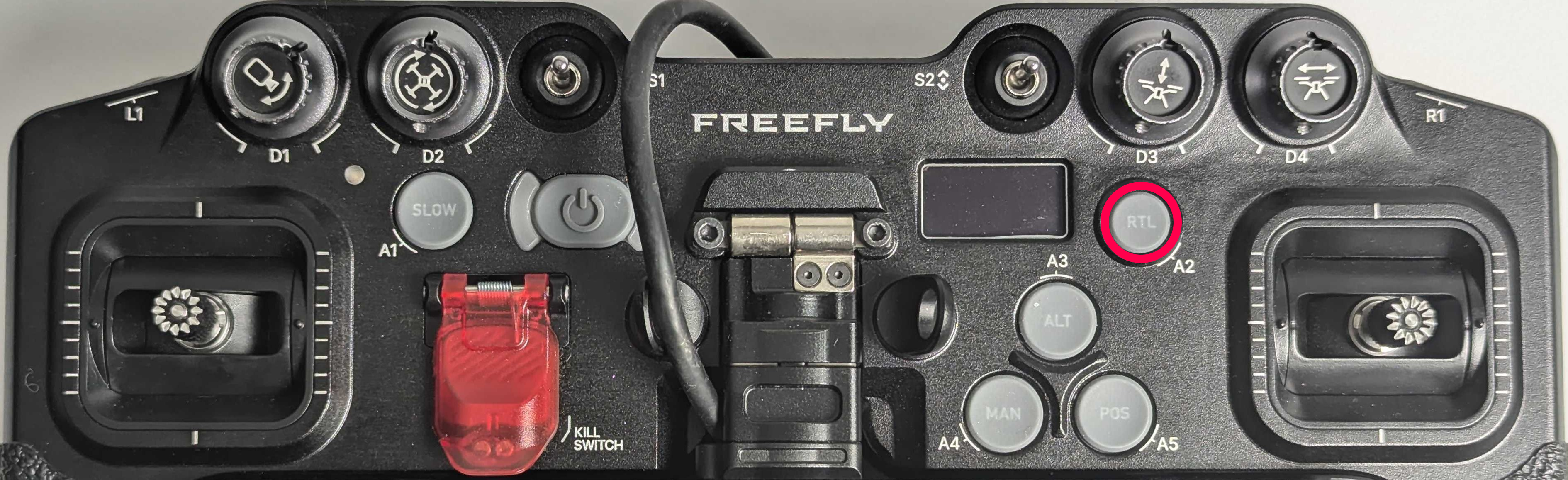
Return Mode Button on Pilot Pro

Return Mode commands Alta X Gen2 to:

  1. Climb to the Return Altitude

  2. Fly back to the Home Point in a straight line

  3. Land

Key settings:

  • Return Altitude: Set it in AMC → Vehicle Setup → Safety. If already above Return Altitude, aircraft maintains current altitude.

  • Home Point: Automatically set to GPS coordinates where aircraft was armed. Resets every arm.

By default, Return Mode is activated automatically by some Failsafes.

You can exit Return Mode by pressing another flight mode button.

Return behavior based on position:

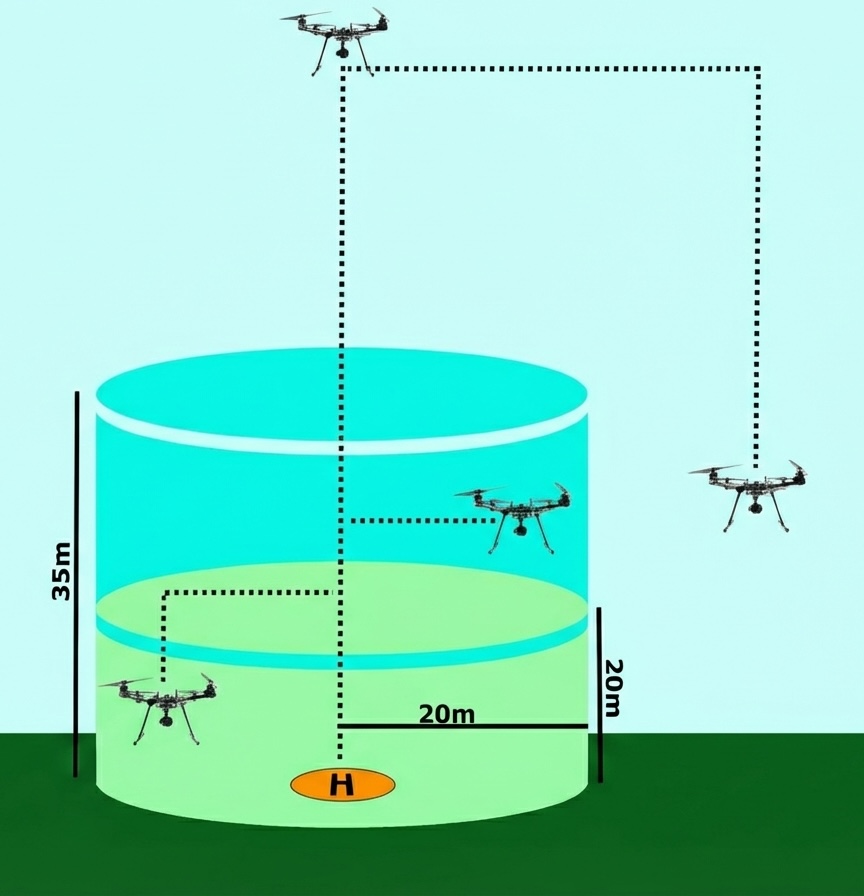
In most cases, RTL mode will travel to the predetermined RTL altitude, travel over the home point, and automatically descend to land. However, if the aircraft is close to the home point, the behavior will be slightly different in order to save time and reduce the amount of distance the aircraft will need to move.

Position
Behavior

Directly over home point

Land without gaining altitude

Within a few meters of home

Move over home point, land

<20m altitude AND <20m distance

Climb to 20m, move over home, land

20-35m altitude AND <20m distance

Maintain altitude, move over home, land

>35m altitude OR >20m distance

Climb to Return Altitude, move over home, land

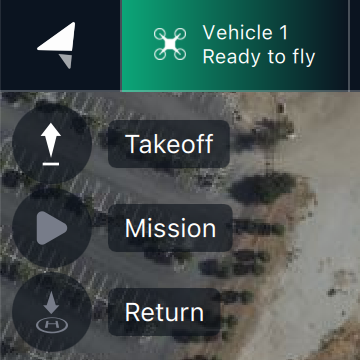
Takeoff Mode arms the aircraft, climbs to the Takeoff Altitude, and enters Hold Mode (hover in place).

Can be engaged via AMC Fly view button or as the first command in a mission.

Takeoff Mode requires a GPS lock.

Landing Mode

Landing Mode descends and lands directly below current position. Aircraft disarms after touchdown.

Engage via AMC Fly view button (hold to confirm).

Also used as the last command in missions or triggered by some failsafes.

Mission Mode executes a predefined autonomous waypoint mission uploaded via AMC.

See AMC documentation for:

If a mission is interrupted (e.g., pilot switches to Position), AMC will prompt to resume. If no prompt, use Action Menu → Resume Mission.

Aircraft must have GPS lock before takeoff to start a mission. If armed without GPS lock, Mission Mode will be unavailable until landing and rearming with GPS.

Last updated